

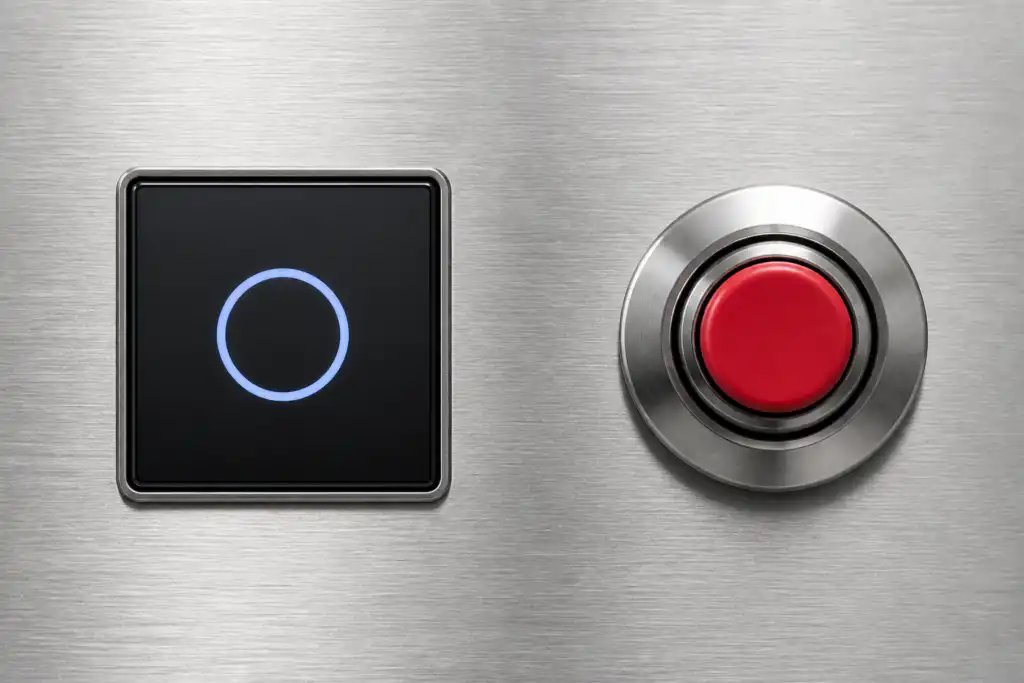
Choosing a touch switch versus a push button is mainly a human-interface and environment decision. A touch switch senses a finger or object through capacitive, resistive, piezoelectric, optical, or another method, depending on its design. A mechanical push button requires physical travel and normally provides tactile feedback. Touch interfaces can offer a flush, easy-to-clean surface; mechanical buttons can provide unmistakable movement and glove-friendly operation. Neither is automatically better, and neither product name proves suitability for an emergency or safety function.
Réponse courte : La sélection est une décision système. Confirmez ensemble l'interface mécanique, l'interface électrique, l'environnement, la réponse humaine, le plan de maintenance et les normes applicables. Les exemples ci-dessous sont des conseils de décision, pas des classifications de produits universelles.
Comment fonctionne l'appareil ou le système
The important boundary is not simply “electronic versus mechanical.” A capacitive touch switch detects a change in an electric field and needs electronics, calibration, and a defined user interaction. A piezoelectric switch responds to mechanical stress without conventional moving contacts at the front. A conventional push button mechanically moves contacts or a separate contact block. Each architecture produces a different output and can react differently to gloves, moisture, cleaning, electromagnetic disturbance, impact, and power loss. Selection should begin with users and operating conditions, then move to electrical integration.

Critères de sélection en un coup d'œil
| Zone de décision | Que vérifier | Pourquoi c'est important |
|---|---|---|
| User feedback | Touch designs may use light or sound; push buttons commonly provide travel and tactile force | The operator must know whether the command was detected without relying on machine motion. |
| Gloves | Mechanical buttons are often easier with varied gloves; touch performance depends on sensing method and setup | Test every glove type used in production, including wet or contaminated conditions. |
| Cleaning | Flush touch surfaces can reduce crevices; mechanical operators may need additional cleaning consideration | Material compatibility and sealing must still be verified for the actual cleaning process. |
| False activation | Touch systems require control of water films, nearby conductive objects, grounding, and sensitivity | Mechanical buttons require force and travel but can still be struck or obstructed. |
| Electrical output | Touch switches may need power and produce an electronic output; push buttons often provide dry contacts | Confirm the PLC input, leakage current, voltage levels, contact load, and failure state. |
| Environnement | Both types need explicit temperature, ingress, impact, vibration, and chemical limits | A stainless appearance alone does not establish environmental suitability. |
| Safety role | Use purpose-designed devices and a validated safety architecture for safety functions | A convenient touch surface must not replace an emergency-stop device merely because it is red or prominent. |
| Maintenance | Touch units may need diagnostic and calibration checks; mechanical units need travel and contact checks | Define how technicians will test the command and detect degradation without unsafe assumptions. |
Le tableau est délibérément qualitatif. Les limites numériques doivent provenir de la fiche technique actuelle pour le modèle exact et des conditions de conception de la machine. Ne transférez pas une valeur d'un produit d'apparence similaire, d'une autre tension, d'une autre catégorie de charge ou de la page d'un concurrent.
Comment faire la sélection
User feedback
Touch designs may use light or sound; push buttons commonly provide travel and tactile force This matters because the operator must know whether the command was detected without relying on machine motion. Record the chosen value, the source document, and the condition under which it applies. If the requirement cannot be verified from the current product documentation, keep it open for supplier confirmation rather than filling the gap with an assumption.
Gloves
Mechanical buttons are often easier with varied gloves; touch performance depends on sensing method and setup This matters because test every glove type used in production, including wet or contaminated conditions. Record the chosen value, the source document, and the condition under which it applies. If the requirement cannot be verified from the current product documentation, keep it open for supplier confirmation rather than filling the gap with an assumption.
Cleaning
Flush touch surfaces can reduce crevices; mechanical operators may need additional cleaning consideration This matters because material compatibility and sealing must still be verified for the actual cleaning process. Record the chosen value, the source document, and the condition under which it applies. If the requirement cannot be verified from the current product documentation, keep it open for supplier confirmation rather than filling the gap with an assumption.
False activation
Touch systems require control of water films, nearby conductive objects, grounding, and sensitivity This matters because mechanical buttons require force and travel but can still be struck or obstructed. Record the chosen value, the source document, and the condition under which it applies. If the requirement cannot be verified from the current product documentation, keep it open for supplier confirmation rather than filling the gap with an assumption.
Electrical output
Touch switches may need power and produce an electronic output; push buttons often provide dry contacts This matters because confirm the PLC input, leakage current, voltage levels, contact load, and failure state. Record the chosen value, the source document, and the condition under which it applies. If the requirement cannot be verified from the current product documentation, keep it open for supplier confirmation rather than filling the gap with an assumption.
Environnement
Both types need explicit temperature, ingress, impact, vibration, and chemical limits This matters because a stainless appearance alone does not establish environmental suitability. Record the chosen value, the source document, and the condition under which it applies. If the requirement cannot be verified from the current product documentation, keep it open for supplier confirmation rather than filling the gap with an assumption.
Safety role
Use purpose-designed devices and a validated safety architecture for safety functions This matters because a convenient touch surface must not replace an emergency-stop device merely because it is red or prominent. Record the chosen value, the source document, and the condition under which it applies. If the requirement cannot be verified from the current product documentation, keep it open for supplier confirmation rather than filling the gap with an assumption.
Maintenance
Touch units may need diagnostic and calibration checks; mechanical units need travel and contact checks This matters because define how technicians will test the command and detect degradation without unsafe assumptions. Record the chosen value, the source document, and the condition under which it applies. If the requirement cannot be verified from the current product documentation, keep it open for supplier confirmation rather than filling the gap with an assumption.
Examen de la demande
Utilisez les scénarios suivants comme invites pour une révision technique. Ils n'établissent pas l'adéquation à eux seuls :
- Use a flush touch interface where frequent wipe-down and low physical effort are priorities. During commissioning, verify the command, expected response, abnormal response, and reset behavior in the assembled machine.
- Use a mechanical push button where strong tactile confirmation and broad glove compatibility are required. During commissioning, verify the command, expected response, abnormal response, and reset behavior in the assembled machine.
- Combine a touch command with visual confirmation so detection is clear before machine response. During commissioning, verify the command, expected response, abnormal response, and reset behavior in the assembled machine.
- Separate routine touch controls from dedicated safety controls that follow the applicable design requirements. During commissioning, verify the command, expected response, abnormal response, and reset behavior in the assembled machine.
- Prototype both options with real operators when accessibility, contamination, or repetitive use is important. During commissioning, verify the command, expected response, abnormal response, and reset behavior in the assembled machine.
Pour chaque cas, inclure les extrêmes de tolérance, le démarrage, l'arrêt, la perte de courant, le rétablissement du courant, le mode de maintenance, l'usage détourné prévisible et le remplacement de composants. Lorsque la commande affecte la sécurité du personnel, la fonction de sécurité doit être conçue et validée indépendamment du contrôle de processus ordinaire.
Mise en service et vérification
- Geler le besoin. Écrivez l'état souhaité, l'action de l'opérateur, la charge, l'alimentation, l'environnement et le temps de réponse en langage clair.
- Vérifiez le modèle exact. Associez le code de commande à son dessin actuel, à son tableau de caractéristiques, à son schéma de raccordement et à ses instructions.
- Inspecter l'installation. Confirmer la découpe, les fixations, l'alignement, l'entrée des câbles, le dégagement arrière, le soulagement de tension et la protection des pièces sous tension.
- Test de fonctionnement normal. Faites fonctionner l'appareil sur toute l'étendue de sa plage de mouvement, de ses utilisateurs, de ses charges et de ses conditions environnementales prévues.
- Tester les conditions anormales. Inclure un câble débranché, un mécanisme bloqué, une coupure d'alimentation, une contamination et d'autres pannes identifiées par l'évaluation des risques.
- Enregistrer les résultats. Conservez le modèle, la révision, la méthode d'essai, la date, les critères d'acceptation, les observations mesurées et l'approbateur.
- Planifier des contrôles périodiques. Basez les intervalles d'inspection et de remplacement sur le service, l'environnement, la criticité et l'usure observée, et non sur un calendrier universel inventé.
Erreurs courantes de sélection
- Assuming every touch switch is capacitive and behaves the same way. Prévenez cela en désignant un responsable, en enregistrant le plan ou la fiche technique applicable, et en testant l'installation réelle au lieu de vous fier à un nom de produit ou à une image de catalogue.
- Testing with bare dry fingers when operators wear gloves or work with moisture. Prévenez cela en désignant un responsable, en enregistrant le plan ou la fiche technique applicable, et en testant l'installation réelle au lieu de vous fier à un nom de produit ou à une image de catalogue.
- Treating an illuminated ring as proof that the machine accepted the command. Prévenez cela en désignant un responsable, en enregistrant le plan ou la fiche technique applicable, et en testant l'installation réelle au lieu de vous fier à un nom de produit ou à une image de catalogue.
- Ignoring the powered electronic output and plc input compatibility. Prévenez cela en désignant un responsable, en enregistrant le plan ou la fiche technique applicable, et en testant l'installation réelle au lieu de vous fier à un nom de produit ou à une image de catalogue.
- Choosing a mechanical button by panel diameter without checking rear depth and contact blocks. Prévenez cela en désignant un responsable, en enregistrant le plan ou la fiche technique applicable, et en testant l'installation réelle au lieu de vous fier à un nom de produit ou à une image de catalogue.
- Using a general touch control as an emergency-stop or guard-reset device without validation. Prévenez cela en désignant un responsable, en enregistrant le plan ou la fiche technique applicable, et en testant l'installation réelle au lieu de vous fier à un nom de produit ou à une image de catalogue.
Que faut-il inclure dans une demande de renseignements auprès d'un fournisseur
Une demande utile doit préciser l'application, le marché cible, les normes applicables, les détails d'alimentation et de charge, l'interface de commande, le dessin mécanique, les dimensions du panneau ou de montage, la méthode de câblage, l'environnement, la fréquence de fonctionnement attendue, la quantité et la documentation requise. Ajoutez des photographies ou un croquis de mouvement lorsque l'approche de l'actionneur ou l'utilisation par l'opérateur est difficile à décrire. Demandez au fournisseur d'identifier ses hypothèses et exceptions. Pour une conception nouvelle ou modifiée, obtenez des échantillons et effectuez une validation complète avant toute commande en volume.
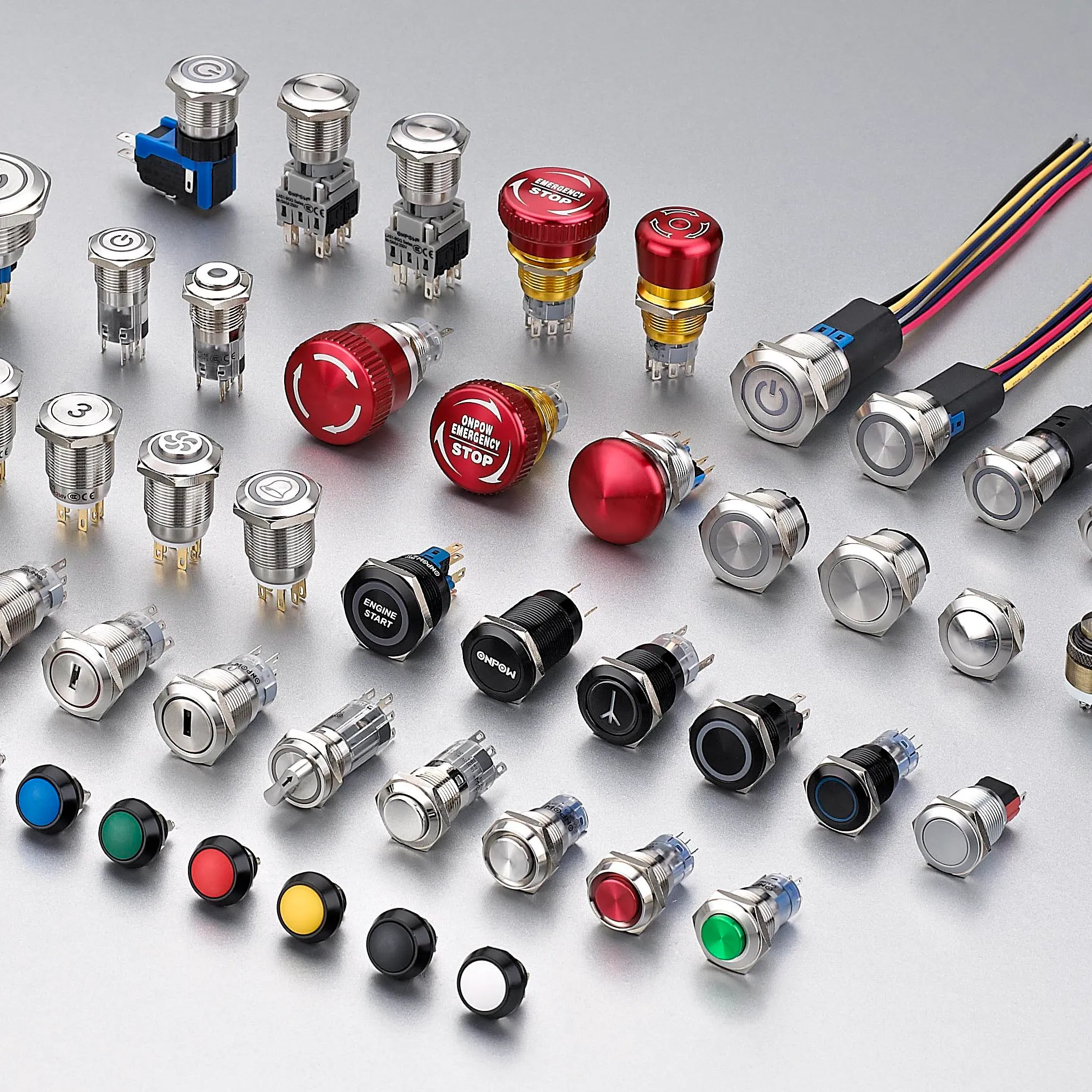
ONPOW fournit ONPOW touch switch products dans son ensemble gamme de produits de contrôle industriel. Utilisez les pages produits pour identifier les familles candidates, puis confirmez le modèle exact par rapport aux informations techniques actuelles et aux conditions de votre projet.
Lecture connexe ONPOW
Références autorisées
- Microchip capacitive-touch introduction
- équipement électrique des machines CEI 60204-1
- Exigences d'OSHA concernant la protection des machines
Vidéo éducative
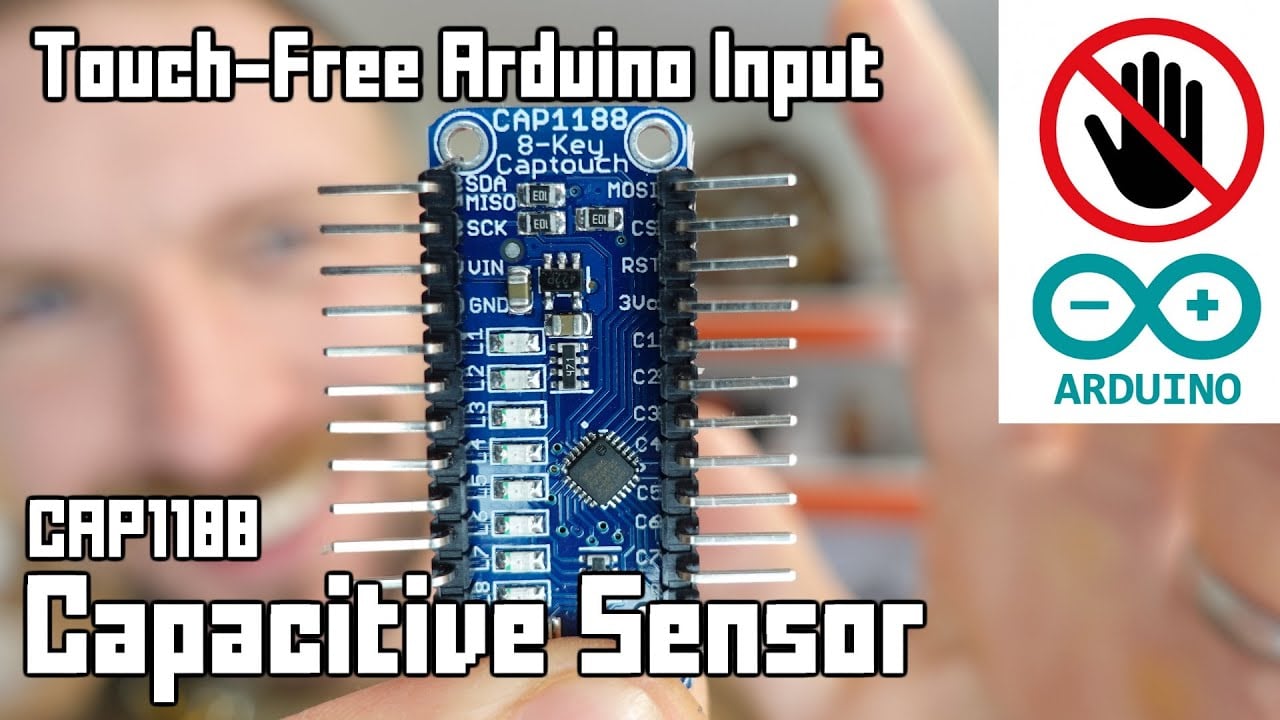
Further learning: Arduino Capacitive Touch-Free Touch Sensor Tutorial by Playful Technology. The video explains the underlying concept; the project must still follow its own risk assessment and manufacturer documentation.
Foire aux questions
Does a touch switch have moving parts?
It depends on the technology. Capacitive and optical sensing can operate without front movement, while piezoelectric designs flex under force. Check the actual construction.
Will a capacitive touch switch work with gloves?
Possibly, but glove material, thickness, moisture, overlay, grounding, sensitivity, and electronics all matter. Test the production configuration.
Which is easier to clean?
A flush touch surface can reduce gaps, but housing material, edge sealing, chemicals, temperature, and the complete panel installation still determine cleanability.
Which lasts longer?
Service life depends on technology, operating frequency, load, environment, impact, electronics, and maintenance. Compare stated test conditions rather than generic claims.
Can a touch switch replace an emergency stop?
A routine touch switch should not be assumed suitable. Emergency-stop functions require purpose-designed devices, defined behavior, and a validated safety system.
Règle de sélection finale
Choisissez le composant uniquement lorsque ses limites documentées mécaniques, électriques, environnementales, d'ergonomie et de maintenance correspondent toutes à l'appareil assemblé. Si une seule limite reste inconnue, traitez-la comme une question d'ingénierie ouverte. Un bref délai de validation coûte moins cher que de concevoir autour d'une hypothèse qui n'apparaît qu'après l'installation.
Customization
ONPOW undertakes a variety of custom needs for push-button development. Confirm whether packaging, marking or documentation OEM/ODM applies to Touch Switch vs Push Button: Choosing an Industrial Interface in the quotation.
Minimum order quantity, lead time and trade terms are not published here; confirm them with sales at sales@onpow.com.



