

An IP65 push button switch can be the right specification when the operating face must resist dust and the documented water exposure is water jets—not immersion. Choose IP67 only when temporary immersion is a real, stated exposure and the supplier can show that the exact configured switch and installed condition are covered.
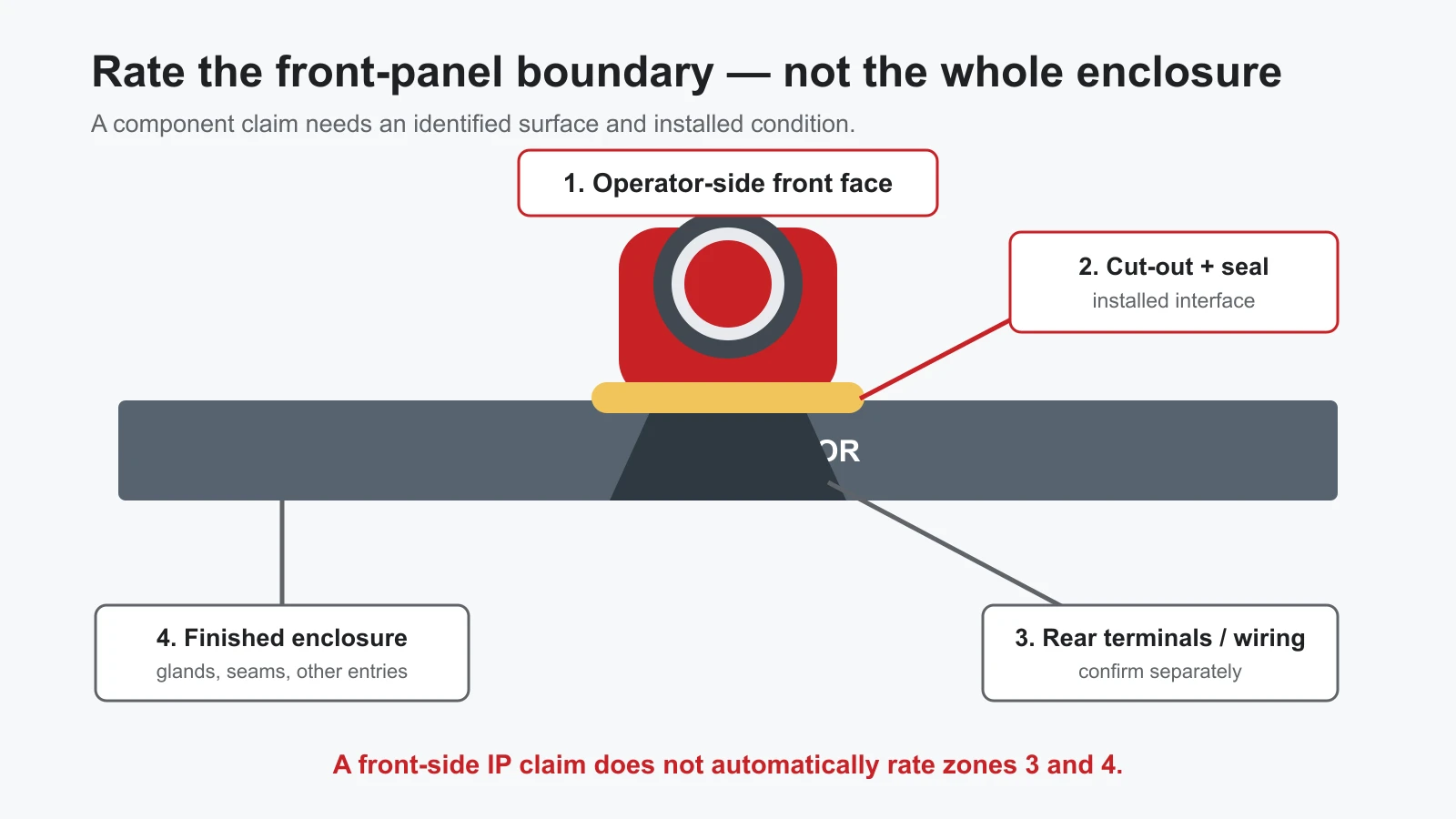
The important qualifier is the boundary. A push button may have a claim for its front operating interface after installation in a panel. That claim does not automatically rate the rear terminals, panel-door seams, cable glands, or the completed enclosure.
The useful difference is the water exposure—not “which number is higher?”
IEC 60529 is the standard behind the IP Code for degrees of protection provided by enclosures. In an IP65/IP67 comparison, the shared 6 addresses the solid-ingress side. The selection question is therefore the second digit and the water event you actually need the front interface to withstand.
| Requirement to state | What it means for a push-button decision | What it does not establish by itself |
|---|---|---|
| IP65 | Specify this only where the documented component claim matches water-jet exposure and immersion is excluded from the use case. | That the switch, panel, or machine is suitable for temporary immersion. |
| IP67 | Specify this where temporary immersion is a credible, defined exposure and the applicable documentation covers the configured, installed interface. | That rear connections, other panel entries, or the whole enclosure are sealed; nor that continuous or unspecified submersion is acceptable. |
“Outdoor” is not enough information to select either code. Record where water comes from, whether the front is only splashed or is exposed to jets, whether immersion can occur, and what happens at every other opening in the finished panel.
Draw the boundary before you select the code
For a panel-mounted button, split the assembly into four verification zones:
- Operator-side face: the actuator and visible front surface that meet the environment.
- Cut-out and sealing interface: the button body, sealing element, panel material, and installed condition at the mounting hole.
- Rear side: terminals, wiring, and any area behind the panel.
- Finished enclosure: door seams, glands, windows, connectors, and every other entry point.
The first two zones may be part of a component’s declared rating when its stated installation conditions are met. The last two must be assessed in the panel or machine design. This is why a front-side IP67 statement is valuable evidence, but not a shortcut to a complete-enclosure claim.
If a project also has a risk of impact, keep that as a separate requirement. See ONPOW’s guide to specifying IP and IK ratings for industrial push buttons rather than treating a water-ingress code as proof of impact performance.
Turn the exposure into an IP65 or IP67 requirement
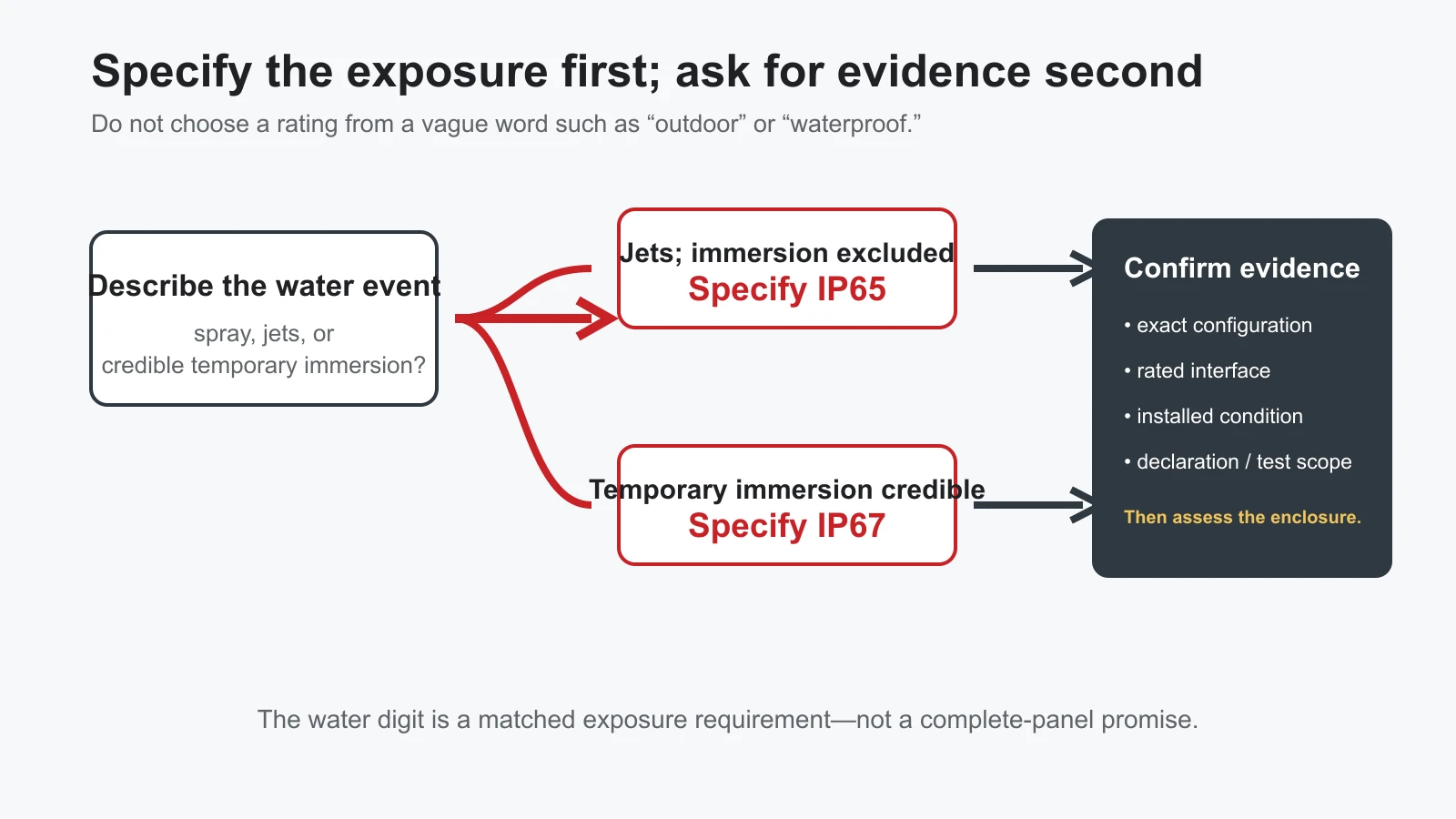
Use this sequence in a design review or RFQ:
- Describe the water event. Is it occasional spray, a defined water-jet exposure, or credible temporary immersion? Include the direction, process, medium, and operating context in the project record.
- Identify the rated object. Ask whether the claimed code is for the button front, the button installed in a panel, or another assembly. Do not assume the answer from a catalogue heading alone.
- Set the water requirement. Where immersion is excluded and the documented claim fits water jets, write IP65 for that interface. Where temporary immersion must be covered, write IP67 and define the condition that makes it necessary.
- Ask for configuration-specific evidence. Confirm the model/option, mounting instructions, seal arrangement, and the scope of the declaration or test evidence before release.
This process avoids two common errors: upgrading to IP67 merely because it sounds safer, and specifying IP65 while leaving an immersion scenario unaddressed. A higher-looking code is not a substitute for a matched test boundary.
What to request before releasing the panel specification
Ask the supplier to identify:
- the exact ordering code and any option that changes the stated IP result;
- the protected surface or assembly that the rating covers;
- the required installed condition, including the relevant panel and seal arrangement;
- the standard edition or declaration/test document supporting the claim; and
- exclusions for the rear side, wiring, cleaning medium, temperature, chemicals, or water exposure outside the declared condition.
Then apply the same discipline to the enclosure. A correctly selected button cannot seal an unsealed gland, damaged door gasket, or unused cut-out elsewhere in the panel.
When a configured GQ22 is the right evidence path
For a 22 mm candidate, the live ONPOW GQ22 Series page lists IP65 (IP67 made to order). That makes it a useful path when your requirement is already defined and you need to ask for evidence for the intended configuration—not a reason to assume every GQ22 order is IP67 or that it fits every panel.
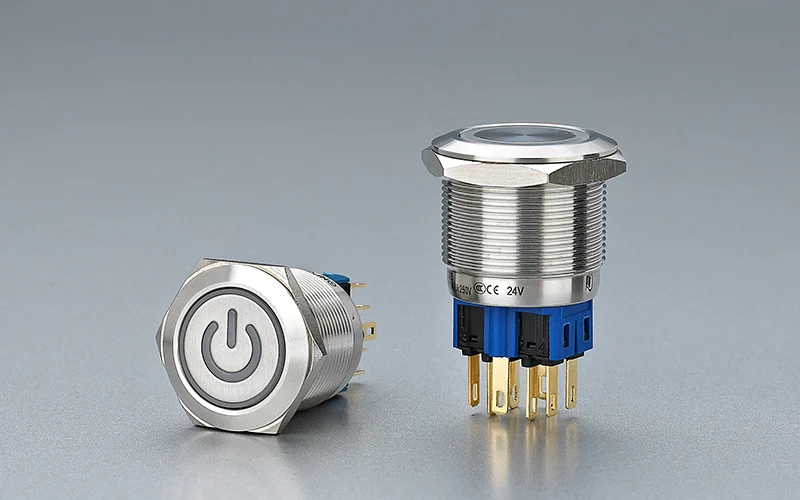
Start with the ONPOW metal push button switch range to compare the family, then provide the water exposure, cut-out, panel construction, and desired ordering configuration for confirmation. The resulting documentation should state the claimed interface and installed condition before the button is placed in a released panel design.
References
- IEC 60529: Degrees of protection provided by enclosures (IP Code) — governing IP Code standard and published scope.
- ONPOW GQ22 Series — live series-page statement of IP65 and “IP67 made to order”; checked 2026-08-12.
- ONPOW: How to Specify IP and IK Ratings for Industrial Push Buttons — separate ingress/impact decision and boundary context.



