

조명 버튼이란 무엇인가요?
-
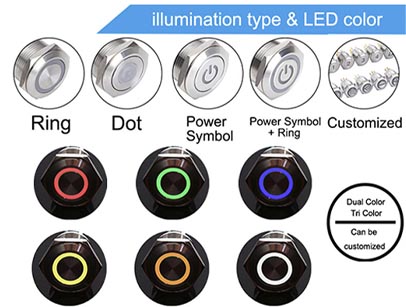
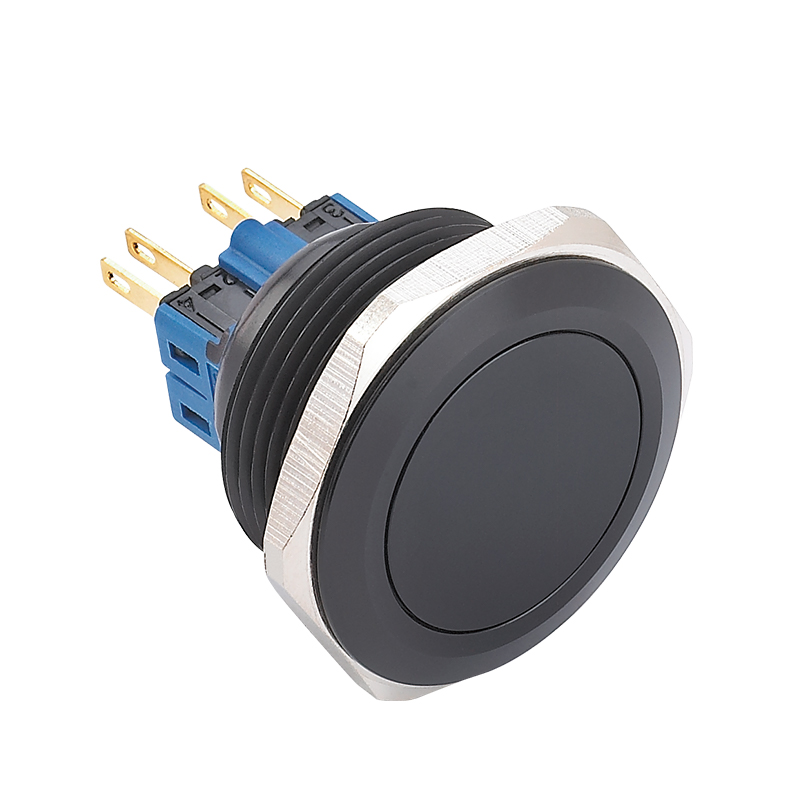
조명 버튼 내부 광원(일반적으로 LED 링, 점 또는 심볼)이 장착된 스위치입니다.
-
주요 특징
-
내장 LED 조명
-
여러 가지 색상 옵션(빨강, 초록, 파랑, 흰색 등)
-
전원 상태, 작동 모드 또는 알림을 표시할 수 있음
-
일시적 또는 잠금형으로 제공됨
- 구매자가 조명 버튼을 선택하는 이유
-
-
가시성 향상
저조도 또는 어두운 환경에서 조명 스위치는 훨씬 더 쉽게 찾고 조작할 수 있습니다. -
명확한 상태 표시
빛은 기계가 켜졌는지, 꺼졌는지 또는 대기 모드인지 보여줄 수 있어 사용자 혼란을 줄입니다. -
향상된 사용자 경험
특히 소비자 전자제품과 현대 산업 패널에서 중요합니다. -
주요 적용 분야
-
산업용 제어 패널
-
의료 장비
-
가전제품
-
자동차 계기판
-
스마트 기기
-
-
-
How to Choose the Right Type (Buyer’s Perspective)
If you’re unsure which to choose, start with these practical questions:
1. Will users operate the switch in low-light conditions?
-
Yes → Go for 조명 버튼
-
No → Non-illuminated is sufficient
2. Do you need status indication?
-
Yes → Illuminated is the better option
-
No → Save cost with non-illuminated
3. Is user experience important for your product?
-
High-end equipment → Illuminated
-
Basic machinery → Non-illuminated
4. Are you working with a tight budget?
-
Yes → Non-illuminated
-
Flexible → Illuminated adds value

Common Mistakes to Avoid
-
Ignoring voltage compatibility (for illuminated switches)
-
Choosing based on price only instead of application needs
-
Overlooking installation space (illuminated switches may require more wiring)
-
Not considering IP rating for harsh environments
A Note on Quality: Why It Matters
– No matter which type you choose, quality directly affects performance, lifespan, and safety.
Reliable manufacturers offer:
-
Stable LED performance (for illuminated types)
-
High mechanical life cycles
-
Strong environmental protection (IP65/IP67)
-
Customization options
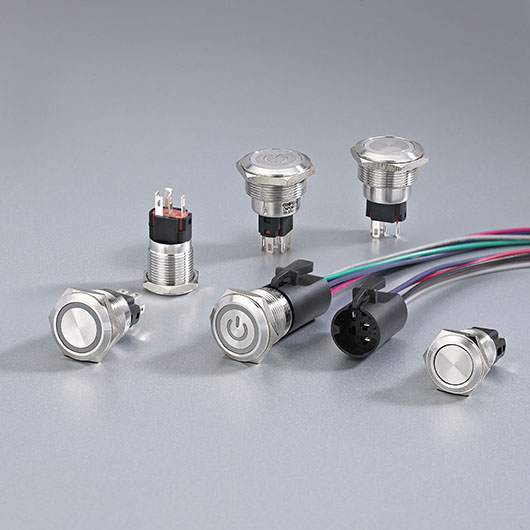
– For example, brands like 온포우 provide a wide range of 조명 버튼 designed for industrial and commercial use, with options for different voltages, colors, and mounting sizes. This makes it easier for buyers to match the switch precisely to their project without compromise.
마무리
차이점은 cURL Too many subrequests by single Worker invocation. To configure this limit, refer to https://developers.cloudflare.com/workers/wrangler/configuration/#limits cURL Too many subrequests by single Worker invocation. To configure this limit, refer to https://developers.cloudflare.com/workers/wrangler/configuration/#limits.
-
다음과 같은 경우 선택하세요 조명 버튼 cURL Too many subrequests by single Worker invocation. To configure this limit, refer to https://developers.cloudflare.com/workers/wrangler/configuration/#limits.
-
다음과 같은 경우 선택하세요 cURL Too many subrequests by single Worker invocation. To configure this limit, refer to https://developers.cloudflare.com/workers/wrangler/configuration/#limits cURL Too many subrequests by single Worker invocation. To configure this limit, refer to https://developers.cloudflare.com/workers/wrangler/configuration/#limits.
cURL Too many subrequests by single Worker invocation. To configure this limit, refer to https://developers.cloudflare.com/workers/wrangler/configuration/#limits.



