

RJ45 패널 마운트 커넥터는 인클로저 경계에서 접근 가능한 물리적 네트워크 연결을 제공합니다. 전체 전면-후면 배열, 필요한 이더넷 성능, 차폐 방식, 케이블 라우팅 및 환경 조건에 따라 선택하세요. RJ45 플러그를 수용하는 소켓이 반드시 산업용 네트워크, 특정 카테고리, Power over Ethernet 지원 또는 인클로저 보호를 자동으로 증명하지는 않습니다. 완성된 채널을 실제 장비와 케이블 배치로 검증하고, 네트워크 구성을 기계적 커넥터 점검과 별개로 유지하세요. 이렇게 하면 물리적 적합성을 전체 네트워크 승인으로 간주하지 않고 서비스 포트를 더 쉽게 유지보수할 수 있습니다.
연결의 목적과 소유권을 정의하세요
양 끝의 장비를 식별하는 것부터 시작하세요. 포트는 유지보수용 노트북을 연결하거나, 컨트롤러를 스위치에 연결하거나, 승인된 진단 인터페이스를 노출할 수 있습니다. 임시 서비스 연결인지 영구 네트워크 연결인지 기록하세요. 용도에 따라 다른 접근 규칙, 라벨 및 보호 조치가 필요할 수 있습니다.
네트워크 구성과 물리적 설치 책임을 할당하세요. 패널 제작자는 기계적으로 올바른 포트를 공급할 수 있으며, 장비 소유자는 주소, 접근 권한 및 허용된 장치를 제어합니다. 이러한 경계를 커미셔닝 계획에 명시하여, 링크 실패 시 적절한 사람이 조사하도록 하거나 즉시 커넥터에 책임을 묻지 않도록 하세요.
The ONPOW RJ45-01-(BK) 제품 페이지 실제 패널 커넥터 참조를 제공합니다. 주문한 버전의 정확한 조립 도면과 성능 설명서를 구하세요. 사진은 물리적 인터페이스와 장착 형태를 보여주며, 네트워크 카테고리, 차폐 연속성, PoE 지원 또는 환경 등급을 독립적으로 확립하지 않습니다.
전체 네트워크 경로를 그리세요
장비 포트, 내부 케이블, 패널 커넥터, 외부 케이블 및 원격 장비를 문서화하세요. 각 플러그, 리셉터클 및 커플러를 식별하세요. 최종 케이블 경로와 서비스 루프를 기록하세요. 짧은 리드 하나를 사용하는 벤치 테스트는 여러 추가 인터페이스를 포함하는 캐비닛 설치를 대표하지 않습니다.
조립이 수동 연결인지 활성 네트워크 장비를 포함하는지 확인하세요. 수동 패널 어댑터는 주소를 할당하거나 스위칭 기능을 제공하거나 관련 없는 프로토콜을 이더넷으로 변환하지 않습니다. 활성 기능이 필요한 경우, 해당 장비와 문서를 별도로 식별하세요.
The IEEE 802.3 작업 그룹 이것은 이더넷 표준 계열의 기본 참조입니다. 실제 네트워크에 적용되는 표준 및 장비 요구 사항을 사용하십시오. 일반적인 “RJ45” 설명은 커넥터 형상 설명으로, 조립된 채널의 전체 성능 사양이 아닙니다.
표준 배경 영상
IEEE 802.3 작업 그룹 멤버들은 유선 이더넷 뒤에 있는 표준을 소개합니다. 전체 네트워크 경로를 매핑할 때 이 표준 배경을 사용하십시오. 이 영상은 특정 ONPOW 패널 조립의 카테고리, PoE 능력, 차폐, 인클로저 보호 또는 성능을 확립하지 않습니다.
802.3: 이더넷 — IEEE 표준 교육 (IEEE.tv)
연속성, 링크 및 애플리케이션 성능을 구분하세요
배선 점검은 시험 방법에 따라 도체가 의도한 대로 연결되었는지 확인할 수 있습니다. 링크 표시등은 다른 수준의 증거를 보여줍니다. 둘 다 단독으로는 필요한 유지보수 또는 생산 적용이 신뢰성 있게 수행될 것임을 증명하지 않습니다. 이러한 점검을 별도의 단계로 계획하고 명확한 수용 기준을 명시하십시오.
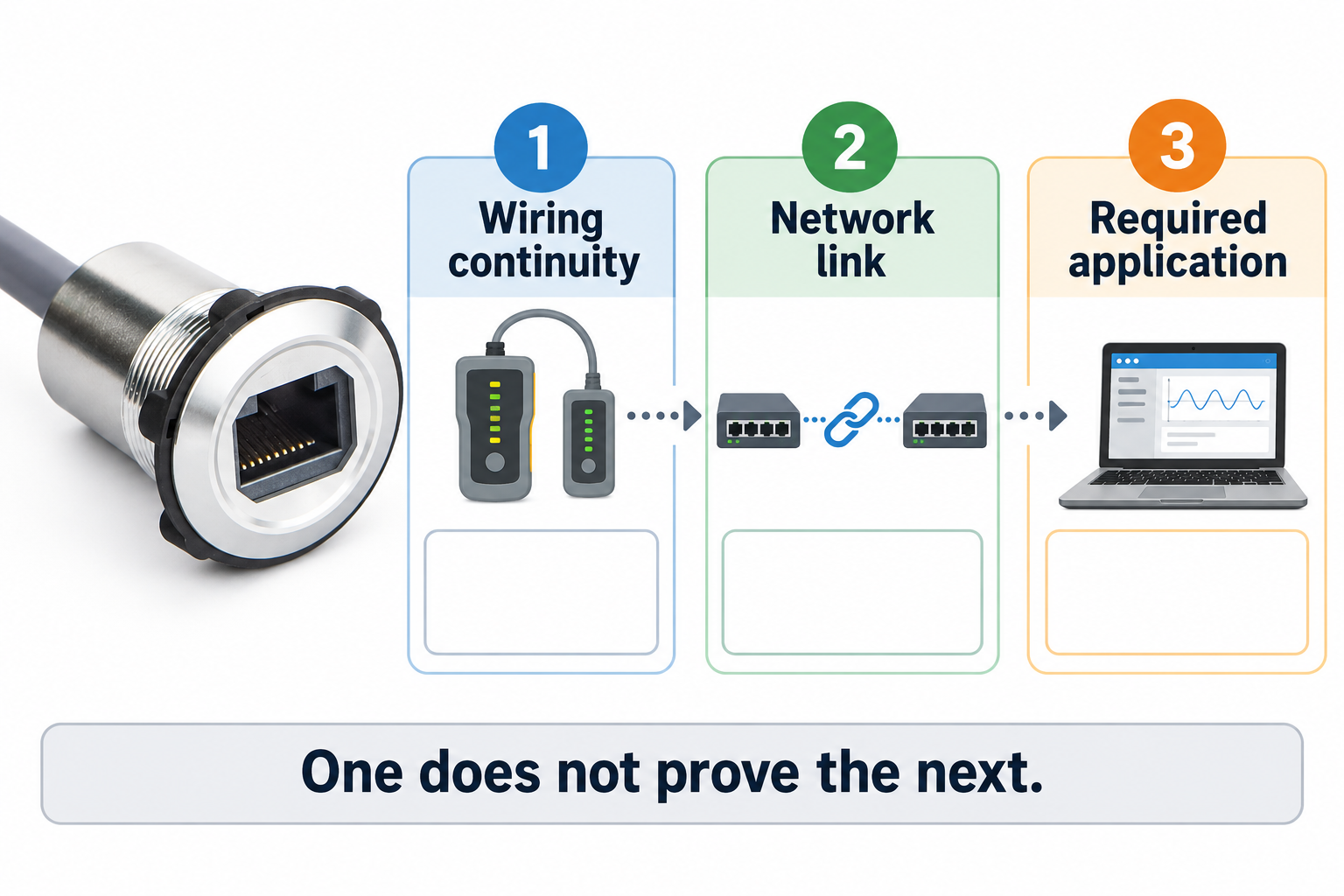
서비스 포트의 경우, 유용한 최종 결과는 성공적인 승인된 진단 세션일 수 있습니다. 영구 기계 링크의 경우, 대표적인 작동 하에서 애플리케이션 통신을 포함할 수 있습니다. 실제 작업 및 장비 상태를 기록하십시오. 표시등이 켜졌다고 해서 연결이 완전히 승인되었다고 결론 내리지 마십시오.
요구 사항에 적합한 테스트 도구를 유지하십시오. 간단한 연속성 테스터는 모든 채널 성능 특성을 확립할 수 없습니다. 카테고리 또는 채널 인증이 필요한 경우, 합의된 표준, 적합한 장비 및 유능한 인력을 사용하십시오. 설치된 케이블 식별자와 커넥터 구성과 함께 보고서를 저장하십시오.
구성 체크리스트를 사용하세요
이 정성적 표는 선택 결정에 필요한 정보를 정의합니다. 이것은 참조된 ONPOW 커넥터에 성능 값을 할당하지 않습니다.
| 항목 | 확인해야 할 질문 | 수용 증거 |
|---|---|---|
| 네트워크 작업 | 어떤 장치와 애플리케이션이 통신해야 합니까? | 승인된 연결 도면 및 기능 결과 |
| 커넥터 배치 | 앞쪽과 뒤쪽에 무엇이 장착되어 있습니까? | 정확한 조립 도면 및 주문 코드 |
| 채널 성능 | 완전한 경로에 어떤 성능이 요구됩니까? | 관련 사양 및 합의된 채널 테스트 |
| 차폐 | 설치된 차폐 경로는 어떻게 처리됩니까? | 문서화된 캐비닛 접지 및 케이블 설계 |
| 이더넷을 통한 전원 공급 | 이 경로를 통해 전원이 필요합니까? | 명확한 조립 및 장비 지원 |
| 패널 설치 | 컷아웃, 두께 및 후면 간격이 올바른가요? | 완성 패널 적합성 검사 |
| 환경 | 열림, 캡 또는 연결된 상태가 적용됩니까? | 구성별 보호 증거 |
설치된 시스템으로서의 차폐를 검토하세요
Determine the shielding arrangement required by the equipment and cabinet design. A metal front bezel does not automatically prove the intended shield connection. Ask for the assembly’s construction information and review how it is installed, including the cable shield and any required bonding interface.
Do not improvise a grounding rule based only on the connector photograph. The correct arrangement depends on the network equipment, cable system, cabinet design and applicable requirements. Keep the decision with the responsible electrical and network engineers. Record the approved approach so maintenance replacements preserve it.
Route the data cable with regard to the machine’s electrical layout and equipment instructions. Avoid physical damage, sharp bends and strain at the connector. Where interference is suspected, investigate the complete installation rather than changing the panel socket repeatedly without evidence. Preserve the route and equipment state in the troubleshooting record.
PoE가 필요할 때 명확히 확인하세요
An Ethernet data path and a Power over Ethernet application present related but distinct requirements. Confirm that the exact connector assembly, cable path and equipment support the intended power function. Do not infer support from the presence of eight contacts or from a successful unpowered network connection.
Identify the actual power-sourcing and powered equipment and obtain their requirements. Include the intended operating conditions in the enquiry. If the assembly documentation does not address the required power function, request clarification or choose a documented configuration before installation.
Keep the acceptance test within an approved procedure and use suitable equipment. A device powering up once does not establish every required operating condition. Record the complete combination that was tested so later cable or device substitutions can be assessed against the same requirement.
패널 적합성과 환경 조건을 계획하세요
Use the approved drawing for the cutout, mounting stack and retaining hardware. Include the finished panel thickness, coating and any gasket. Reserve enough rear space for the internal connection and cable bend. A connector can fit the hole while leaving the rear cable under continuous mechanical stress.
Review protection in the exact operating state: open, capped or connected. The IEC 60529 출판 페이지 identifies the ingress-protection framework, but it does not certify an arbitrary installation. Ask the supplier what configuration the evidence covers and assess the complete enclosure accordingly.
The broader 제어판 레이아웃 가이드 helps coordinate access and clearances. Keep network service plugs away from positions where they obstruct an emergency operator or catch on moving equipment. Check cap access and normal service handling in the final panel layout.
서비스 인터페이스를 이해하기 쉽게 만드세요
Label the port with its approved purpose and, where relevant, the equipment or network it connects to. Avoid a generic label that encourages technicians to plug into the wrong network. Keep port identification consistent with the schematic, service manual and network records.
An accessible network socket is also a system access point. The equipment owner should define authorised users and devices. NIST SP 800-82 provides broader operational-technology security guidance. The physical connector does not enforce network permissions by itself.
Compare this interface with the panel USB service port 이자 푸시 버튼 커넥터 조립품. These are complementary maintenance interfaces with different signal and qualification requirements. Their shared panel-mount appearance does not make them interchangeable.
계층을 혼동하지 않고 실패를 진단하세요
If there is no connection, first confirm the intended devices and network path. Check the approved cable set and physical connection without changing several variables simultaneously. Record whether the symptom follows one cable, one panel assembly or one equipment port. A known comparison arrangement can help isolate the problem when used under the approved test plan.
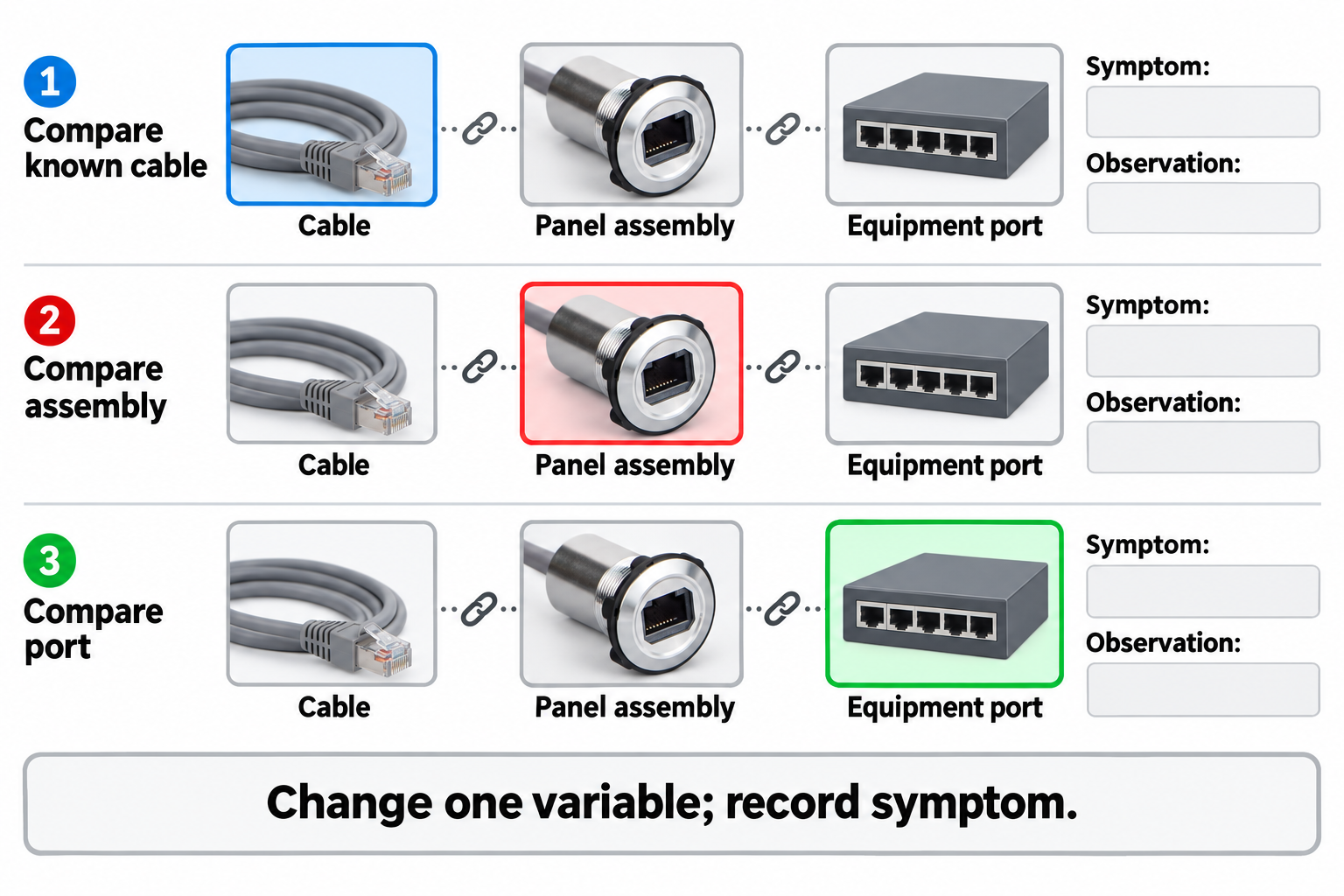
If a physical link exists but the application fails, investigate the application and network configuration as well as the channel. Preserve error messages, timing and equipment state. Replacing the connector may temporarily coincide with recovery without proving the connector caused the fault.
For intermittent failures, document movement, door position and environmental conditions associated with the symptom. Do not repeatedly bend the cable to make the fault disappear before recording it. Preserve suspect assemblies and their identities for supplier investigation, especially where a terminal or cable strain issue is suspected.
자격을 갖춘 구성을 고정하세요
Before production release, record the connector code, drawing revision, internal cable, approved external cable requirements, equipment identities and test results. Confirm that maintenance staff can replace the assembly without guessing the rear arrangement from the visible socket.
A later change to cable construction, connector variant or equipment can affect the qualified path. Apply the project’s change-control process and repeat the relevant checks. Send ONPOW the complete connection diagram, mounting constraints, required network performance and any PoE or environmental requirement for configuration confirmation.
자주 묻는 질문
RJ45 소켓은 특정 이더넷 속도를 보장하나요?
No. Confirm the performance of the complete assembly and channel with the intended equipment and cable arrangement.
네트워크 승인 시 연속성 테스트만으로 충분합니까?
아니요. 연속성, 링크 설정 및 애플리케이션 성능은 서로 다른 검사 항목입니다. 각 요구사항에 적합한 테스트 방법을 사용하십시오.
금속 커넥터 본체가 차폐 연속성을 증명합니까?
아니요. 조립 구조와 설치된 차폐 경로를 문서화하고 캐비닛 설계와 대조하여 확인해야 합니다.
Can PoE capability be assumed from a working data link?
아니오. 정확한 조립 및 장비에 대한 명시적 지원을 획득하고, 승인된 절차에 따라 필요한 전력 기능을 검증하십시오.



