

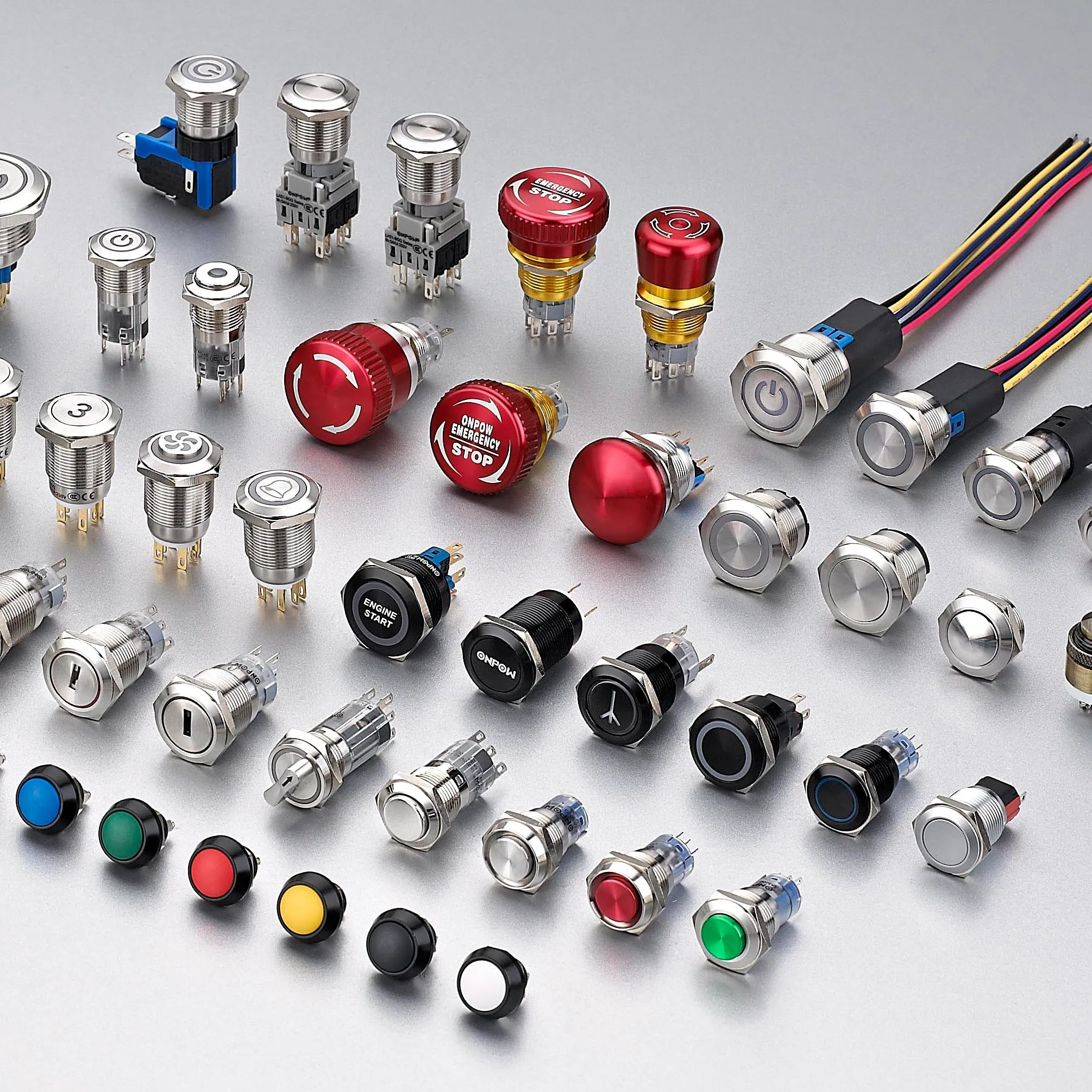
Choosing a touch switch versus a push button is mainly a human-interface and environment decision. A touch switch senses a finger or object through capacitive, resistive, piezoelectric, optical, or another method, depending on its design. A mechanical push button requires physical travel and normally provides tactile feedback. Touch interfaces can offer a flush, easy-to-clean surface; mechanical buttons can provide unmistakable movement and glove-friendly operation. Neither is automatically better, and neither product name proves suitability for an emergency or safety function.
Kurze Antwort: Die Auswahl ist eine Systementscheidung. Stimmen Sie mechanische Schnittstelle, elektrische Schnittstelle, Umgebung, Bedienreaktion, Wartungsplan und geltende Normen gemeinsam ab. Die folgenden Beispiele dienen als Entscheidungshilfe, nicht als universelle Produktbewertungen.
Wie das Gerät oder System funktioniert
The important boundary is not simply “electronic versus mechanical.” A capacitive touch switch detects a change in an electric field and needs electronics, calibration, and a defined user interaction. A piezoelectric switch responds to mechanical stress without conventional moving contacts at the front. A conventional push button mechanically moves contacts or a separate contact block. Each architecture produces a different output and can react differently to gloves, moisture, cleaning, electromagnetic disturbance, impact, and power loss. Selection should begin with users and operating conditions, then move to electrical integration.

Auswahlkriterien auf einen Blick
| Entscheidungsbereich | Was zu überprüfen ist | Warum dies wichtig ist |
|---|---|---|
| User feedback | Touch designs may use light or sound; push buttons commonly provide travel and tactile force | The operator must know whether the command was detected without relying on machine motion. |
| Gloves | Mechanical buttons are often easier with varied gloves; touch performance depends on sensing method and setup | Test every glove type used in production, including wet or contaminated conditions. |
| Reinigung | Flush touch surfaces can reduce crevices; mechanical operators may need additional cleaning consideration | Material compatibility and sealing must still be verified for the actual cleaning process. |
| False activation | Touch systems require control of water films, nearby conductive objects, grounding, and sensitivity | Mechanical buttons require force and travel but can still be struck or obstructed. |
| Elektrischer Ausgang | Touch switches may need power and produce an electronic output; push buttons often provide dry contacts | Confirm the PLC input, leakage current, voltage levels, contact load, and failure state. |
| Umwelt | Both types need explicit temperature, ingress, impact, vibration, and chemical limits | A stainless appearance alone does not establish environmental suitability. |
| Safety role | Use purpose-designed devices and a validated safety architecture for safety functions | A convenient touch surface must not replace an emergency-stop device merely because it is red or prominent. |
| Instandhaltung | Touch units may need diagnostic and calibration checks; mechanical units need travel and contact checks | Define how technicians will test the command and detect degradation without unsafe assumptions. |
Die Tabelle ist absichtlich qualitativ. Numerische Grenzen müssen aus dem aktuellen Datenblatt für das genaue Modell und die Maschinenbaubedingungen stammen. Übertragen Sie keinen Wert von einem ähnlich aussehenden Produkt, einer anderen Spannung, einer anderen Lastkategorie oder einer Seite eines Wettbewerbers.
So treffen Sie die Auswahl
User feedback
Touch designs may use light or sound; push buttons commonly provide travel and tactile force This matters because the operator must know whether the command was detected without relying on machine motion. Record the chosen value, the source document, and the condition under which it applies. If the requirement cannot be verified from the current product documentation, keep it open for supplier confirmation rather than filling the gap with an assumption.
Gloves
Mechanical buttons are often easier with varied gloves; touch performance depends on sensing method and setup This matters because test every glove type used in production, including wet or contaminated conditions. Record the chosen value, the source document, and the condition under which it applies. If the requirement cannot be verified from the current product documentation, keep it open for supplier confirmation rather than filling the gap with an assumption.
Reinigung
Flush touch surfaces can reduce crevices; mechanical operators may need additional cleaning consideration This matters because material compatibility and sealing must still be verified for the actual cleaning process. Record the chosen value, the source document, and the condition under which it applies. If the requirement cannot be verified from the current product documentation, keep it open for supplier confirmation rather than filling the gap with an assumption.
False activation
Touch systems require control of water films, nearby conductive objects, grounding, and sensitivity This matters because mechanical buttons require force and travel but can still be struck or obstructed. Record the chosen value, the source document, and the condition under which it applies. If the requirement cannot be verified from the current product documentation, keep it open for supplier confirmation rather than filling the gap with an assumption.
Elektrischer Ausgang
Touch switches may need power and produce an electronic output; push buttons often provide dry contacts This matters because confirm the PLC input, leakage current, voltage levels, contact load, and failure state. Record the chosen value, the source document, and the condition under which it applies. If the requirement cannot be verified from the current product documentation, keep it open for supplier confirmation rather than filling the gap with an assumption.
Umwelt
Both types need explicit temperature, ingress, impact, vibration, and chemical limits This matters because a stainless appearance alone does not establish environmental suitability. Record the chosen value, the source document, and the condition under which it applies. If the requirement cannot be verified from the current product documentation, keep it open for supplier confirmation rather than filling the gap with an assumption.
Safety role
Use purpose-designed devices and a validated safety architecture for safety functions This matters because a convenient touch surface must not replace an emergency-stop device merely because it is red or prominent. Record the chosen value, the source document, and the condition under which it applies. If the requirement cannot be verified from the current product documentation, keep it open for supplier confirmation rather than filling the gap with an assumption.
Instandhaltung
Touch units may need diagnostic and calibration checks; mechanical units need travel and contact checks This matters because define how technicians will test the command and detect degradation without unsafe assumptions. Record the chosen value, the source document, and the condition under which it applies. If the requirement cannot be verified from the current product documentation, keep it open for supplier confirmation rather than filling the gap with an assumption.
Bewerbungsprüfung
Verwenden Sie die folgenden Szenarien als Anregungen für eine technische Überprüfung. Sie allein stellen keine Eignung fest:
- Use a flush touch interface where frequent wipe-down and low physical effort are priorities. During commissioning, verify the command, expected response, abnormal response, and reset behavior in the assembled machine.
- Use a mechanical push button where strong tactile confirmation and broad glove compatibility are required. During commissioning, verify the command, expected response, abnormal response, and reset behavior in the assembled machine.
- Combine a touch command with visual confirmation so detection is clear before machine response. During commissioning, verify the command, expected response, abnormal response, and reset behavior in the assembled machine.
- Separate routine touch controls from dedicated safety controls that follow the applicable design requirements. During commissioning, verify the command, expected response, abnormal response, and reset behavior in the assembled machine.
- Prototype both options with real operators when accessibility, contamination, or repetitive use is important. During commissioning, verify the command, expected response, abnormal response, and reset behavior in the assembled machine.
Für jeden Fall schließen Sie Toleranzgrenzen, Hochlauf, Herunterfahren, Stromausfall, Stromwiederherstellung, Wartungsmodus, vorhersehbaren Missbrauch und Komponentenwechsel ein. Wenn der Befehl die Sicherheit des Personals betrifft, muss die Sicherheitsfunktion unabhängig von der normalen Prozesssteuerung entworfen und validiert werden.
Inbetriebnahme und Überprüfung
- Die Anforderung einfrieren. Schreiben Sie den beabsichtigten Zustand, Bedieneraktion, Last, Versorgung, Umgebung und Reaktionszeit in einfacher Sprache.
- Überprüfen Sie das genaue Modell. Vergleichen Sie den Bestellcode mit seiner aktuellen Zeichnung, Bewertungstabelle, Anschlussdiagramm und Anweisungen.
- Inspektion der Installation. Bestätigen Sie Ausschnitt, Befestigungen, Ausrichtung, Kabeldurchführung, Hinterraum, Zugentlastung und Schutz der lebenden Teile.
- Normale Betriebsergebnisse testen. Das Gerät während des erwarteten Bewegungsbereichs, bei verschiedenen Nutzern, Lasten und Umweltbedingungen testen.
- Teste anormale Zustände. Einen getrennten Draht, feststeckenden Mechanismus, Stromausfall, Kontamination und andere durch die Risikobewertung identifizierte Fehler einschließen.
- Ergebnisse aufzeichnen. Modell, Revision, Testmethode, Datum, Abnahmekriterien, gemessene Beobachtungen und Genehmiger dokumentieren.
- Regelmäßige Überprüfungen planen. Inspektions- und Austauschintervalle basieren auf Einsatz, Umgebung, Kritikalität und beobachtetem Verschleiß – nicht auf einem erfundenen universellen Zeitplan.
Häufige Auswahlfehler
- Assuming every touch switch is capacitive and behaves the same way. Dies verhindern, indem ein Verantwortlicher zugewiesen, die zutreffende Zeichnung oder das Datenblatt aufgezeichnet und die tatsächliche Installation getestet wird, anstatt sich auf einen Produktnamen oder Katalogbild zu verlassen.
- Testing with bare dry fingers when operators wear gloves or work with moisture. Dies verhindern, indem ein Verantwortlicher zugewiesen, die zutreffende Zeichnung oder das Datenblatt aufgezeichnet und die tatsächliche Installation getestet wird, anstatt sich auf einen Produktnamen oder Katalogbild zu verlassen.
- Treating an illuminated ring as proof that the machine accepted the command. Dies verhindern, indem ein Verantwortlicher zugewiesen, die zutreffende Zeichnung oder das Datenblatt aufgezeichnet und die tatsächliche Installation getestet wird, anstatt sich auf einen Produktnamen oder Katalogbild zu verlassen.
- Ignoring the powered electronic output and plc input compatibility. Dies verhindern, indem ein Verantwortlicher zugewiesen, die zutreffende Zeichnung oder das Datenblatt aufgezeichnet und die tatsächliche Installation getestet wird, anstatt sich auf einen Produktnamen oder Katalogbild zu verlassen.
- cURL Too many subrequests by single Worker invocation. To configure this limit, refer to https://developers.cloudflare.com/workers/wrangler/configuration/#limits. Dies verhindern, indem ein Verantwortlicher zugewiesen, die zutreffende Zeichnung oder das Datenblatt aufgezeichnet und die tatsächliche Installation getestet wird, anstatt sich auf einen Produktnamen oder Katalogbild zu verlassen.
- cURL Too many subrequests by single Worker invocation. To configure this limit, refer to https://developers.cloudflare.com/workers/wrangler/configuration/#limits. Dies verhindern, indem ein Verantwortlicher zugewiesen, die zutreffende Zeichnung oder das Datenblatt aufgezeichnet und die tatsächliche Installation getestet wird, anstatt sich auf einen Produktnamen oder Katalogbild zu verlassen.
Was in eine Lieferantenanfrage aufgenommen werden sollte
Eine nützliche Anfrage sollte die Anwendung, den Zielmarkt, geltende Normen, Liefer- und Lastdetails, Steuerungsschnittstelle, mechanische Zeichnung, Panel- oder Befestigungsmaße, Kabelmethode, Umgebung, erwartete Betriebsfrequenz, Menge und erforderliche Dokumentation angeben. Fügen Sie Fotos oder eine Bewegungsskizze bei, wenn die Annäherung des Betätigers oder die Bedienung schwer zu beschreiben ist. Bitten Sie den Lieferanten, Annahmen und Ausnahmen zu identifizieren. Für ein neues oder geändertes Design sollten Muster beschafft und die Validierung abgeschlossen werden, bevor eine Volumenbestellung erfolgt.
ONPOW bietet cURL Too many subrequests by single Worker invocation. To configure this limit, refer to https://developers.cloudflare.com/workers/wrangler/configuration/#limits innerhalb seines breiteren Sortiment an industriellen Steuerungsprodukten. Verwenden Sie die Produktseiten, um potenzielle Familien zu identifizieren, und bestätigen Sie dann das genaue Modell anhand aktueller technischer Informationen und der Bedingungen Ihres Projekts.
Verwandte ONPOW-Lektüre
- cURL Too many subrequests by single Worker invocation. To configure this limit, refer to https://developers.cloudflare.com/workers/wrangler/configuration/#limits
- Unterschiede zwischen Druckknopf und Wählhebel
Maßgebliche Referenzen
- cURL Too many subrequests by single Worker invocation. To configure this limit, refer to https://developers.cloudflare.com/workers/wrangler/configuration/#limits
- IEC 60204-1: Elektrische Ausrüstung von Maschinen
- OSHA-Anforderungen an den Maschinenschutz
Lehrvideo
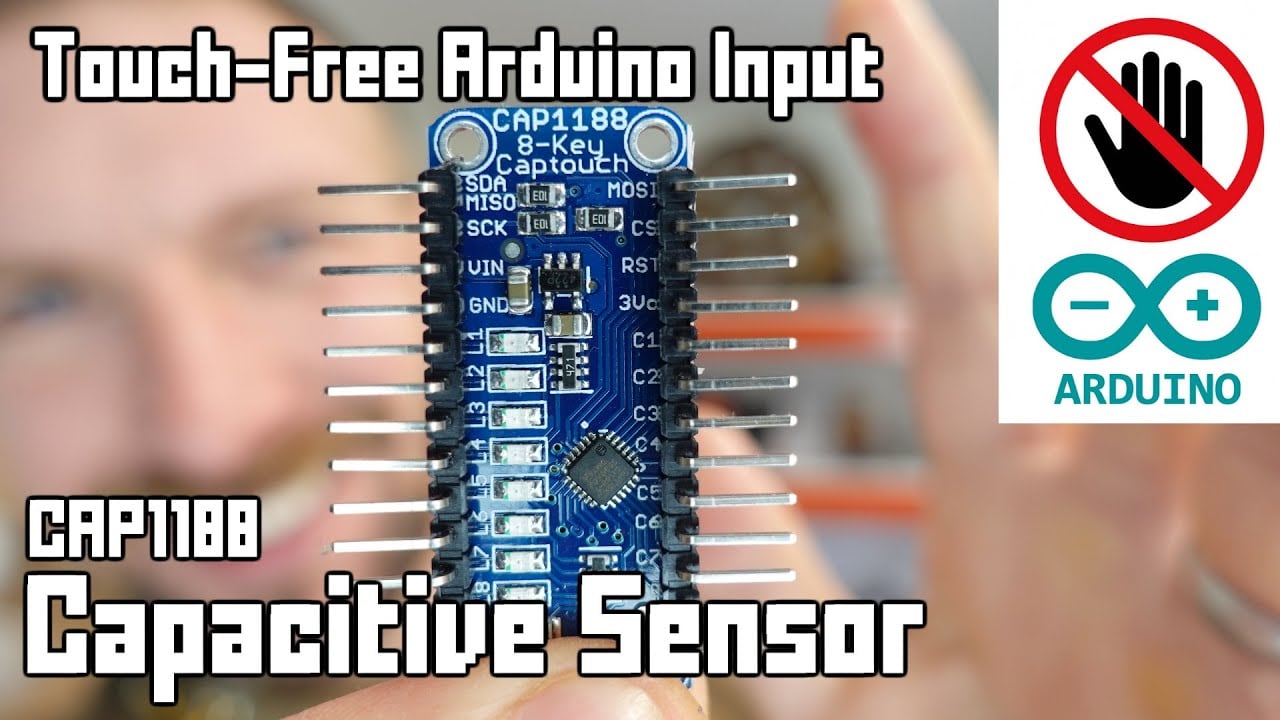
cURL Too many subrequests by single Worker invocation. To configure this limit, refer to https://developers.cloudflare.com/workers/wrangler/configuration/#limits.
Allgemeine Fragen
cURL Too many subrequests by single Worker invocation. To configure this limit, refer to https://developers.cloudflare.com/workers/wrangler/configuration/#limits
Das hängt von der Technologie ab. Kapazitive und optische Sensoren können ohne mechanische Bewegung an der Vorderseite funktionieren, während sich piezoelektrische Ausführungen unter Krafteinwirkung verformen. Überprüfen Sie die tatsächliche Konstruktion.
Funktioniert ein kapazitiver Berührungsschalter mit Handschuhen?
Possibly, but glove material, thickness, moisture, overlay, grounding, sensitivity, and electronics all matter. Test the production configuration.
Welches ist leichter zu reinigen?
cURL Too many subrequests by single Worker invocation. To configure this limit, refer to https://developers.cloudflare.com/workers/wrangler/configuration/#limits.
Welche hält länger?
Service life depends on technology, operating frequency, load, environment, impact, electronics, and maintenance. Compare stated test conditions rather than generic claims.
Kann ein Berührungsschalter einen Not-Aus ersetzen?
cURL Too many subrequests by single Worker invocation. To configure this limit, refer to https://developers.cloudflare.com/workers/wrangler/configuration/#limits.
Endgültige Auswahlregel
Wählen Sie die Komponente nur, wenn ihre dokumentierten mechanischen, elektrischen, umweltbezogenen, Benutzerfreundlichkeits- und Wartungsgrenzen alle in das montierte System passen. Wenn eine Grenze unbekannt bleibt, behandeln Sie sie als offene technische Frage. Eine kurze Validierungsverzögerung ist kostengünstiger als das Design um eine Annahme herum, die erst nach der Installation sichtbar wird.



