

Wybór przełącznika dotykowego w porównaniu do przycisku naciskowego to głównie decyzja dotycząca interfejsu użytkownika i środowiska. Przełącznik dotykowy wykrywa palec lub obiekt za pomocą metod kapacytacyjnych, rezystancyjnych, piezoelektrycznych, optycznych lub innych, w zależności od jego konstrukcji. Przycisk mechaniczny wymaga fizycznego ruchu i zazwyczaj zapewnia sprzężenie zwrotne dotykowe. Interfejsy dotykowe mogą oferować powierzchnię płaską i łatwą do czyszczenia; przyciski mechaniczne mogą zapewniać wyraźny ruch i obsługę w rękawicach. Żaden z nich nie jest automatycznie lepszy, a nazwa produktu nie świadczy o jego przydatności do funkcji awaryjnych lub bezpieczeństwa.
Krótka odpowiedź: Wybór jest decyzją systemową. Należy wspólnie potwierdzić interfejs mechaniczny, interfejs elektryczny, środowisko, reakcję człowieka, plan konserwacji oraz obowiązujące normy. Poniższe przykłady stanowią wskazówki decydujące, a nie uniwersalne oceny produktów.
Jak działa urządzenie lub system
Istotną granicą nie jest po prostu “elektroniczny versus mechaniczny”. Kapacytowy przełącznik dotykowy wykrywa zmianę w polu elektrycznym i wymaga elektroniki, kalibracji oraz zdefiniowanej interakcji użytkownika. Piezoelektryczny przełącznik reaguje na naprężenia mechaniczne bez konwencjonalnych ruchomych styków na przedzie. Konwencjonalny przycisk naciskowy mechanicznie przesuwa styki lub oddzielny blok styków. Każda architektura generuje inny sygnał wyjściowy i może reagować inaczej na rękawice, wilgoć, czyszczenie, zakłócenia elektromagnetyczne, uderzenia i utratę zasilania. Wybór powinien zaczynać się od użytkowników i warunków pracy, a następnie przejść do integracji elektrycznej.

Kryteria wyboru w skrócie
| Obszar decyzyjny | Co zweryfikować | Dlaczego to ma znaczenie |
|---|---|---|
| Opinie użytkowników | Projekty dotykowe mogą używać światła lub dźwięku; przyciski naciskowe zwykle zapewniają ruch i siłę dotykową | Operator musi wiedzieć, czy polecenie zostało wykryte bez polegania na ruchu maszyny. |
| Rękawice | Przyciski mechaniczne są często łatwiejsze do obsługi z różnymi rękawicami; wydajność dotykowa zależy od metody wykrywania i ustawień | Testuj każdy rodzaj rękawic używanych w produkcji, w tym w warunkach wilgotnych lub zanieczyszczonych. |
| Czyszczenie | Powierzchnie dotykowe mogą zmniejszyć szczeliny; operatorzy mechaniczni mogą potrzebować dodatkowego czyszczenia | Kompatybilność materiałów i uszczelnienie muszą być nadal zweryfikowane dla rzeczywistego procesu czyszczenia. |
| Fałszywe uruchomienia | Systemy dotykowe wymagają kontroli warstw wodnych, pobliskich przewodzących obiektów, uziemienia i czułości | Przyciski naciskowe wymagają siły i ruchu, ale nadal mogą być uderzone lub zablokowane. |
| Wyjście elektryczne | Przełączniki dotykowe mogą wymagać zasilania i generować sygnał elektroniczny; przyciski naciskowe często zapewniają suche styki | Potwierdź wejście PLC, prąd upływowy, poziomy napięcia, obciążenie styku i stan awaryjny. |
| Środowisko | Oba typy wymagają wyraźnych limitów temperatury, ingressu, uderzeń, drgań i chemikaliów | Wygląd ze stali nierdzewnej sam w sobie nie zapewnia odpowiedniości środowiskowej. |
| Rola bezpieczeństwa | Używaj urządzeń specjalnie zaprojektowanych do tego celu oraz zwalidowanej architektury bezpieczeństwa dla funkcji bezpieczeństwa | Wygodna powierzchnia dotykowa nie powinna zastępować urządzenia awaryjnego zatrzymania tylko dlatego, że jest czerwona lub wyraźna. |
| Konserwacja | Jednostki dotykowe mogą wymagać kontroli diagnostycznych i kalibracyjnych; jednostki mechaniczne potrzebują kontroli zakresu i kontaktu | Zdefiniuj, jak technicy będą testować polecenie i wykrywać degradację bez niebezpiecznych założeń. |
Tabela ma charakter celowo jakościowy. Limity numeryczne muszą pochodzić z aktualnej karty katalogowej dla konkretnego modelu oraz z warunków projektowych maszyny. Nie należy przenosić wartości z podobnie wyglądającego produktu, innego napięcia, innej kategorii obciążenia ani ze strony konkurencji.
Jak dokonać wyboru
Opinie użytkowników
Projekty dotykowe mogą używać światła lub dźwięku; przyciski naciskowe zwykle zapewniają zakres i siłę dotyku. Ma to znaczenie, ponieważ operator musi wiedzieć, czy polecenie zostało wykryte, bez polegania na ruchu maszyny. Zapisz wybraną wartość, dokument źródłowy i warunek, w którym ma zastosowanie. Jeśli wymóg nie może być zweryfikowany na podstawie obecnej dokumentacji produktu, pozostaw go otwarte do potwierdzenia przez dostawcę, zamiast wypełniać lukę założeniem.
Rękawice
Przyciski mechaniczne są często łatwiejsze do obsługi w różnych rękawicach; wydajność dotyku zależy od metody wykrywania i ustawienia. Ma to znaczenie, ponieważ należy przetestować każdy typ rękawic używanych w produkcji, w tym w warunkach mokrych lub zanieczyszczonych. Zapisz wybraną wartość, dokument źródłowy i warunek, w którym ma zastosowanie. Jeśli wymóg nie może być zweryfikowany na podstawie obecnej dokumentacji produktu, pozostaw go otwarte do potwierdzenia przez dostawcę, zamiast wypełniać lukę założeniem.
Czyszczenie
Płaskie powierzchnie dotykowe mogą zmniejszyć szczeliny; operatorzy mechaniczni mogą potrzebować dodatkowej uwagi przy czyszczeniu. Ma to znaczenie, ponieważ kompatybilność materiałów i uszczelnienie muszą być nadal zweryfikowane dla rzeczywistego procesu czyszczenia. Zapisz wybraną wartość, dokument źródłowy i warunek, w którym ma zastosowanie. Jeśli wymóg nie może być zweryfikowany na podstawie obecnej dokumentacji produktu, pozostaw go otwarte do potwierdzenia przez dostawcę, zamiast wypełniać lukę założeniem.
Fałszywe uruchomienia
Systemy dotykowe wymagają kontroli filmów wodnych, pobliskich przewodzących obiektów, uziemienia i czułości. Ma to znaczenie, ponieważ przyciski mechaniczne wymagają siły i zakresu, ale mogą nadal być uderzone lub zablokowane. Zapisz wybraną wartość, dokument źródłowy i warunek, w którym ma zastosowanie. Jeśli wymóg nie może być zweryfikowany na podstawie obecnej dokumentacji produktu, pozostaw go otwarte do potwierdzenia przez dostawcę, zamiast wypełniać lukę założeniem.
Wyjście elektryczne
Przełączniki dotykowe mogą wymagać zasilania i generować wyjście elektroniczne; przyciski naciskowe często zapewniają suche styki. Ma to znaczenie, ponieważ należy potwierdzić wejście PLC, prąd upływowy, poziomy napięcia, obciążenie styku i stan awaryjny. Zapisz wybraną wartość, dokument źródłowy i warunek, w którym ma zastosowanie. Jeśli wymóg nie może być zweryfikowany na podstawie obecnej dokumentacji produktu, pozostaw go otwarte do potwierdzenia przez dostawcę, zamiast wypełniać lukę założeniem.
Środowisko
Oba typy wymagają wyraźnych limitów temperatury, ingressu, uderzeń, drgań i chemikaliów. Ma to znaczenie, ponieważ sam wygląd ze stali nierdzewnej nie zapewnia odpowiedniości środowiskowej. Zapisz wybraną wartość, dokument źródłowy i warunek, w którym ma zastosowanie. Jeśli wymóg nie może być zweryfikowany na podstawie obecnej dokumentacji produktu, pozostaw go otwarte do potwierdzenia przez dostawcę, zamiast wypełniać lukę założeniem.
Rola bezpieczeństwa
Używaj urządzeń specjalnie zaprojektowanych do tego celu oraz zwalidowanej architektury bezpieczeństwa dla funkcji bezpieczeństwa. Ma to znaczenie, ponieważ wygodna powierzchnia dotykowa nie powinna zastępować urządzenia awaryjnego zatrzymania tylko dlatego, że jest czerwona lub wyraźna. Zapisz wybraną wartość, dokument źródłowy i warunek, w którym ma zastosowanie. Jeśli wymóg nie może być zweryfikowany na podstawie obecnej dokumentacji produktu, pozostaw go otwarte do potwierdzenia przez dostawcę, zamiast wypełniać lukę założeniem.
Konserwacja
Jednostki dotykowe mogą wymagać kontroli diagnostycznych i kalibracyjnych; jednostki mechaniczne potrzebują kontroli zakresu i kontaktu. Ma to znaczenie, ponieważ zdefiniuj, jak technicy będą testować polecenie i wykrywać degradację bez niebezpiecznych założeń. Zapisz wybraną wartość, dokument źródłowy i warunek, w którym ma zastosowanie. Jeśli wymóg nie może być zweryfikowany na podstawie obecnej dokumentacji produktu, pozostaw go otwarte do potwierdzenia przez dostawcę, zamiast wypełniać lukę założeniem.
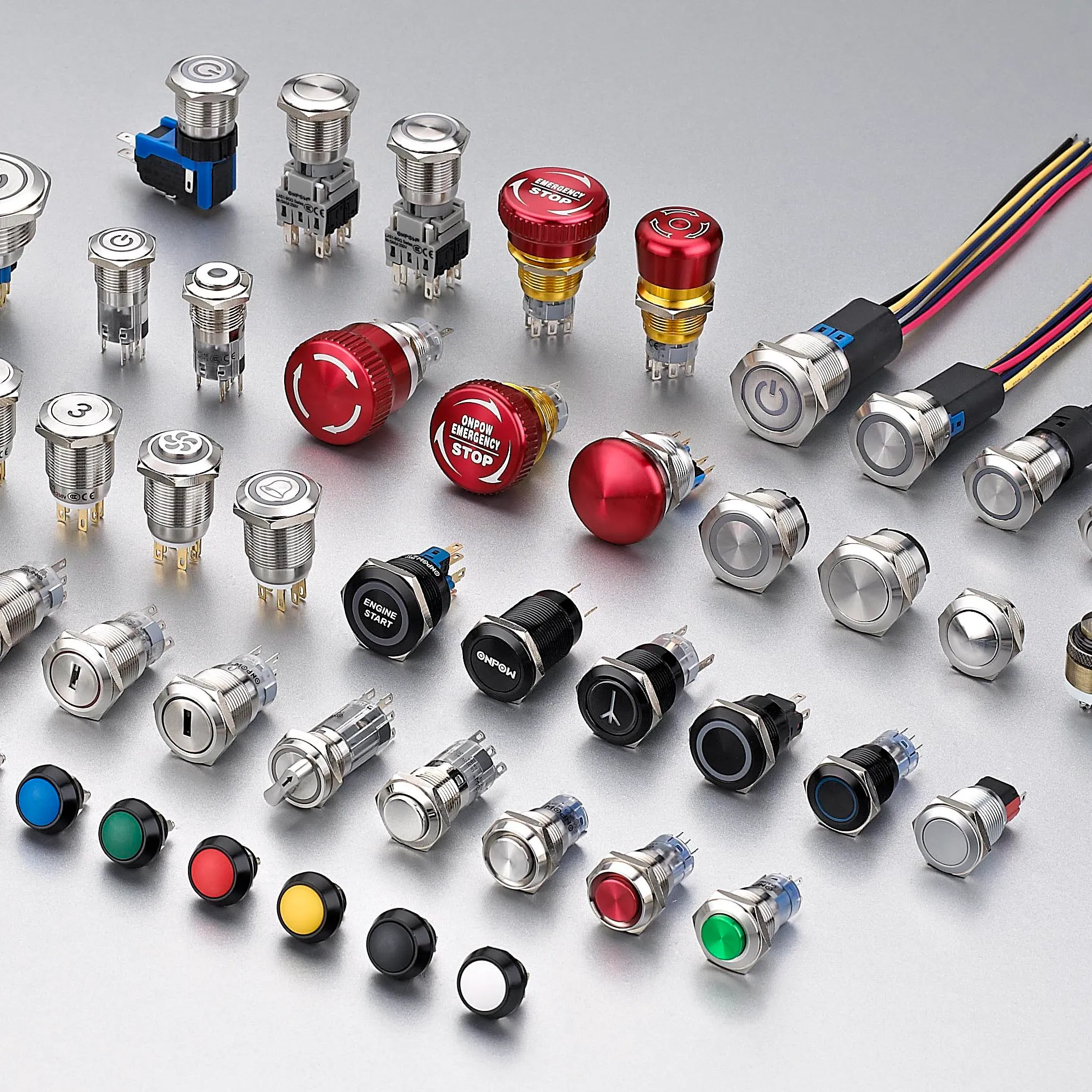
Przegląd aplikacji
Wykorzystaj poniższe scenariusze jako wytyczne do przeglądu inżynieryjnego. Same w sobie nie potwierdzają one przydatności:
- Używaj interfejsu dotykowego typu flush, gdy priorytetem jest częste czyszczenie i niskie wysiłki fizyczne. Podczas uruchomienia zweryfikuj polecenie, oczekiwaną reakcję, reakcję nieprawidłową i zachowanie resetu w zmontowanej maszynie.
- Używaj przycisku naciskowego mechanicznego, gdy wymagana jest silna potwierdzenie dotykowe i szeroka kompatybilność z rękawicami. Podczas uruchomienia zweryfikuj polecenie, oczekiwaną reakcję, reakcję nieprawidłową i zachowanie resetu w zmontowanej maszynie.
- Połącz polecenie dotykowe z wizualnym potwierdzeniem, aby wykrycie było jasne przed reakcją maszyny. Podczas uruchomienia zweryfikuj polecenie, oczekiwaną reakcję, reakcję nieprawidłową i zachowanie resetu w zmontowanej maszynie.
- Oddziel rutynowe kontrolki dotykowe od dedykowanych kontroli bezpieczeństwa, które muszą spełniać obowiązujące wymagania projektowe. Podczas uruchomienia zweryfikuj polecenie, oczekiwaną reakcję, reakcję nieprawidłową i zachowanie resetu w zmontowanej maszynie.
- Prototypuj obie opcje z prawdziwymi operatorami, gdy dostępność, zanieczyszczenie lub powtarzalność użycia są istotne. Podczas uruchomienia zweryfikuj polecenie, oczekiwaną reakcję, reakcję nieprawidłową i zachowanie resetu w zmontowanej maszynie.
Dla każdego przypadku należy uwzględnić skrajne tolerancje, rozruch, wyłączenie, utratę zasilania, przywrócenie zasilania, tryb konserwacji, przewidywalne niewłaściwe użycie oraz wymianę komponentów. W przypadkach, gdy polecenie wpływa na bezpieczeństwo personelu, funkcja bezpieczeństwa musi być zaprojektowana i zwieziona niezależnie od zwykłego sterowania procesem.
Uruchomienie i weryfikacja
- Zablokuj wymaganie. Opisz zamierzony stan, działanie operatora, obciążenie, zasilanie, środowisko i czas reakcji prostym językiem.
- Sprawdź dokładny model. Dopasuj kod zamówienia do jego aktualnego rysunku, tabeli znamionowej, schematu wyprowadzeń i instrukcji.
- Sprawdź instalację. Potwierdzić wycięcie, elementy złączne, osiowanie, wpust kablowy, prześwit z tyłu, odciążenie naciągu oraz zabezpieczenie części pod napięciem.
- Test normalnego działania. Przeprowadź ćwiczenia z urządzeniem w całym oczekiwanym zakresie ruchu, przez użytkowników, z różnymi obciążeniami oraz w warunkach środowiskowych.
- Przetestuj nienormalne warunki. Uwzględnij odłączony przewód, zablokowany mechanizm, brak zasilania, zanieczyszczenie oraz inne usterki zidentyfikowane w ocenie ryzyka.
- Zapisz wyniki. Zachowaj model, wersję, metodę testową, datę, kryteria akceptacji, zarejestrowane obserwacje oraz osobę zatwierdzającą.
- Zaplanuj okresowe kontrole. Częstotliwość przeglądów i wymian należy opierać na warunkach pracy, otoczeniu, krytyczności i zaobserwowanym zużyciu, a nie na wymyślonym, uniwersalnym harmonogramie.
Częste błędy przy rekrutacji
- Zakładając, że każdy dotykowy przełącznik jest pojemnościowy i zachowuje się w ten sam sposób. Zapobiegnij temu poprzez wyznaczenie właściciela, zarejestrowanie odpowiedniego rysunku technicznego lub karty katalogowej oraz przetestowanie faktycznej instalacji zamiast polegania na nazwie produktu lub zdjęciu z katalogu.
- Testowanie gołymi suchymi palcami, gdy operatorzy noszą rękawice lub pracują z wilgocią. Zapobiegnij temu poprzez wyznaczenie właściciela, zarejestrowanie odpowiedniego rysunku technicznego lub karty katalogowej oraz przetestowanie faktycznej instalacji zamiast polegania na nazwie produktu lub zdjęciu z katalogu.
- Traktowanie podświetlonego pierścienia jako dowodu, że maszyna przyjęła polecenie. Zapobiegnij temu poprzez wyznaczenie właściciela, zarejestrowanie odpowiedniego rysunku technicznego lub karty katalogowej oraz przetestowanie faktycznej instalacji zamiast polegania na nazwie produktu lub zdjęciu z katalogu.
- Ignorowanie kompatybilności zasilanego wyjścia elektronicznego i wejścia PLC. Zapobiegnij temu poprzez wyznaczenie właściciela, zarejestrowanie odpowiedniego rysunku technicznego lub karty katalogowej oraz przetestowanie faktycznej instalacji zamiast polegania na nazwie produktu lub zdjęciu z katalogu.
- Wybór mechanicznego przycisku według średnicy panelu bez sprawdzania głębokości tylnej i bloków stycznikowych. Zapobiegnij temu poprzez wyznaczenie właściciela, zarejestrowanie odpowiedniego rysunku technicznego lub karty katalogowej oraz przetestowanie faktycznej instalacji zamiast polegania na nazwie produktu lub zdjęciu z katalogu.
- Używanie ogólnego sterowania dotykowego jako urządzenia awaryjnego zatrzymania lub resetu osłony bez walidacji. Zapobiegnij temu poprzez wyznaczenie właściciela, zarejestrowanie odpowiedniego rysunku technicznego lub karty katalogowej oraz przetestowanie faktycznej instalacji zamiast polegania na nazwie produktu lub zdjęciu z katalogu.
Co uwzględnić w zapytaniu ofertowym do dostawcy
Przydatne zapytanie powinno określać zastosowanie, rynek docelowy, obowiązujące normy, szczegóły dotyczące zasilania i obciążenia, interfejs sterowania, rysunek mechaniczny, wymiary panelu lub montażowe, metodę okablowania, środowisko, oczekiwaną częstotliwość pracy, ilość oraz wymaganą dokumentację. Należy dodać fotografie lub szkic ruchu, gdy sposób działania siłownika lub obsługi przez operatora jest trudny do opisania. Poproś dostawcę o wskazanie przyjętych założeń i odstępstw. W przypadku nowego lub zmodyfikowanego projektu należy pozyskać próbki i przeprowadzić pełną walidację przed złożeniem zamówienia wielkoseryjnego.
ONPOW zapewnia Produkty przełączników dotykowych ONPOW w szerszym kontekście asortyment produktów sterowania przemysłowego. Skorzystaj ze stron produktów, aby zidentyfikować kandydackie rodziny, a następnie potwierdź dokładny model na podstawie aktualnych informacji technicznych oraz warunków swojego projektu.
Powiązane materiały ONPOW
Autorytatywne źródła
- Wprowadzenie do pojemnościowego dotyku Microchip
- IEC 60204-1 – wyposażenie elektryczne maszyn
- Wymagania OSHA dotyczące osłon maszyn
Film edukacyjny
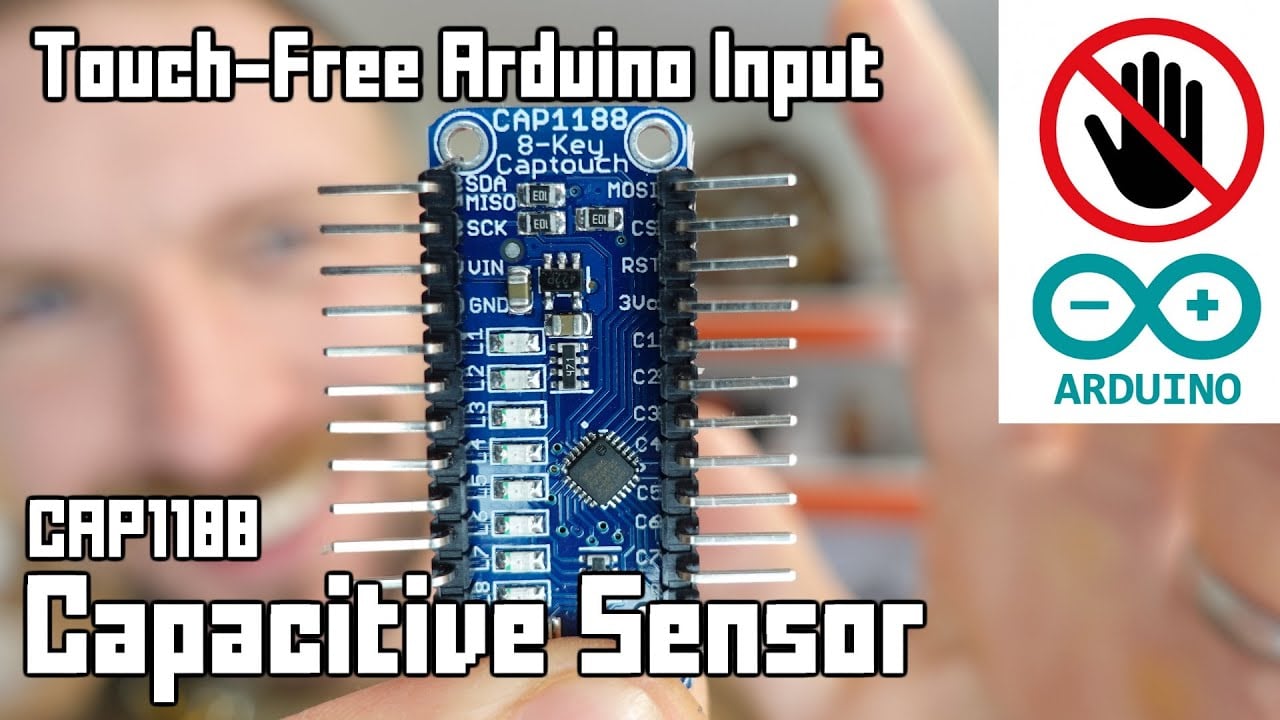
Dalsza nauka: Tutorial Arduino dotyczący bezdotykowego czujnika pojemnościowego przez Playful Technology. Wideo wyjaśnia podstawową koncepcję; projekt musi nadal przestrzegać własnej oceny ryzyka i dokumentacji producenta.
Często zadawane pytania
Czy przełącznik dotykowy ma ruchome części?
To zależy od technologii. Czujniki pojemnościowe i optyczne mogą działać bez ruchu frontu, podczas gdy konstrukcja piezoelektryczna ugięłaby się pod wpływem siły. Sprawdź rzeczywistą konstrukcję.
Czy pojemnościowy przełącznik dotykowy będzie działał w rękawiczkach?
Być może, ale materiał rękawic, grubość, wilgoć, nakładka, uziemienie, czułość i elektronika – to wszystko ma znaczenie. Przetestuj konfigurację produkcyjną.
Co jest łatwiejsze w czyszczeniu?
Płaska powierzchnia dotykowa może ograniczyć szczeliny, jednak materiał obudowy, uszczelnienie krawędzi, chemikalia, temperatura oraz kompletny montaż panelu nadal decydują o łatwości czyszczenia.
Co trwa dłużej?
Żywotność zależy od technologii, częstotliwości pracy, obciążenia, środowiska, uderzeń, elektroniki oraz konserwacji. Porównaj zadeklarowane warunki testowe zamiast ogólnych twierdzeń.
Czy przełącznik dotykowy może zastąpić awaryjne zatrzymanie?
Nie należy zakładać, że standardowy przełącznik dotykowy nadaje się do tego celu. Funkcje zatrzymania awaryjnego wymagają specjalnie zaprojektowanych urządzeń, określonego sposobu działania oraz zweryfikowanego systemu bezpieczeństwa.
Ostateczna reguła wyboru
Wybierz komponent tylko wtedy, gdy jego udokumentowane granice mechaniczne, elektryczne, środowiskowe, użyteczności i utrzymaniowe mieszczą się w całości w zmontowanym systemie. Jeśli jedna granica pozostaje nieznana, potraktuj ją jako otwarte pytanie inżynieryjne. Krótkie opóźnienie walidacji jest mniej kosztowne niż projektowanie wokół założenia, które pojawia się dopiero po instalacji.



