

Выбор между сенсорным выключателем и кнопкой нажимания в основном зависит от человеческого интерфейса и условий окружающей среды. Сенсорный выключатель обнаруживает палец или объект с помощью емкостного, сопротивляемого, пьезоэлектрического, оптического или другого метода, в зависимости от конструкции. Механическая кнопка требует физического перемещения и обычно обеспечивает тактильную обратную связь. Сенсорные интерфейсы могут иметь гладкую, легко очищаемую поверхность; механические кнопки обеспечивают явное движение и работу в перчатках. Ни один из вариантов не является автоматически лучшим, и ни одно название продукта не подтверждает его пригодность для аварийных или безопасных функций.
Краткий ответ: Выбор — это системное решение. Согласуйте механический интерфейс, электрический интерфейс, условия окружающей среды, реакцию человека, план технического обслуживания и применимые стандарты. Приведенные ниже примеры являются руководством по принятию решений, а не универсальными рейтингами продукции.
Как работает устройство или система
Важная граница — это не просто “электронный против механического”. Емкостной сенсорный выключатель обнаруживает изменение в электрическом поле и требует электроники, калибровки и определенного взаимодействия с пользователем. Пьезоэлектрический выключатель реагирует на механическое напряжение без обычных движущихся контактов на передней части. Обычная механическая кнопка механически перемещает контакты или отдельный контактный блок. Каждая архитектура дает разный выход и может реагировать по-разному на перчатки, влажность, очистку, электромагнитные помехи, удары и потерю питания. Выбор должен начинаться с учета пользователей и условий эксплуатации, затем переходить к электрической интеграции.

Критерии отбора с первого взгляда
| Область принятия решений | Что проверять | Почему это важно |
|---|---|---|
| Обратная связь от пользователя | Дизайны с сенсорным управлением могут использовать свет или звук; кнопки нажимания обычно обеспечивают ход и тактильное усилие | Оператор должен знать, был ли командный сигнал обнаружен, не полагаясь на движение машины. |
| Перчатки | Механические кнопки часто проще использовать с разными перчатками; производительность сенсорных решений зависит от метода обнаружения и настройки | Проверьте все типы перчаток, используемых в производстве, включая влажные или загрязненные условия. |
| Очистка | Гладкие сенсорные поверхности могут уменьшить количество щелей; механические операторы могут потребовать дополнительного ухода за чистотой | Совместимость материалов и герметизация должны быть подтверждены для конкретного процесса очистки. |
| Ложное срабатывание | Системы с сенсорным управлением требуют контроля водяных пленок, близлежащих проводящих объектов, заземления и чувствительности | Механические кнопки требуют усилия и хода, но их все равно можно ударить или заблокировать. |
| Электрический выход | Сенсорные выключатели могут требовать питания и выдавать электронный сигнал; кнопки нажимания часто обеспечивают сухие контакты | Подтвердите вход PLC, ток утечки, уровни напряжения, нагрузку контактов и состояние отказа. |
| Окружающая среда | Оба типа требуют четких ограничений по температуре, проникновению, удару, вибрации и химическим воздействиям | Один лишь внешний вид из нержавеющей стали не подтверждает пригодность к эксплуатации в условиях окружающей среды. |
| Роль в обеспечении безопасности | Используйте специально разработанные устройства и проверенную архитектуру безопасности для функций безопасности | Удобная сенсорная поверхность не должна заменять устройство аварийной остановки только потому, что оно красное или заметное. |
| Обслуживание | Модели сенсорных блоков могут требовать диагностических и калибровочных проверок; механические блоки требуют проверок хода и контактов | Определите, как технический персонал будет тестировать команду и обнаруживать деградацию без опасных предположений. |
Таблица носит намеренно качественный характер. Числовые пределы должны браться из актуального технического описания для конкретной модели и из условий проектирования машины. Нельзя переносить значение из похожего продукта, другого напряжения, другой категории нагрузки или со страницы конкурента.
Как сделать выбор
Обратная связь от пользователя
Дизайны сенсорных элементов могут использовать свет или звук; кнопки обычно обеспечивают ход и тактильное усилие. Это важно, потому что оператор должен знать, была ли команда зафиксирована, не полагаясь на движение машины. Запишите выбранное значение, исходный документ и условие, при котором оно применяется. Если требование не может быть подтверждено текущей документацией на продукт, оставьте его открытым для подтверждения поставщиком, а не заполняйте пробел предположением.
Перчатки
Механические кнопки часто проще при использовании различных перчаток; производительность сенсорных элементов зависит от метода обнаружения и настройки. Это важно, потому что необходимо протестировать каждый тип перчаток, используемых в производстве, включая влажные или загрязнённые условия. Запишите выбранное значение, исходный документ и условие, при котором оно применяется. Если требование не может быть подтверждено текущей документацией на продукт, оставьте его открытым для подтверждения поставщиком, а не заполняйте пробел предположением.
Очистка
Плоские сенсорные поверхности могут уменьшить количество щелей; механические операторы могут потребовать дополнительного ухода за чистотой. Это важно, потому что совместимость материалов и герметичность всё равно должны быть подтверждены для конкретного процесса очистки. Запишите выбранное значение, исходный документ и условие, при котором оно применяется. Если требование не может быть подтверждено текущей документацией на продукт, оставьте его открытым для подтверждения поставщиком, а не заполняйте пробел предположением.
Ложное срабатывание
Системы сенсорных элементов требуют контроля водяных пленок, близлежащих проводящих объектов, заземления и чувствительности. Это важно, потому что механические кнопки требуют усилия и хода, но их всё равно можно ударить или заблокировать. Запишите выбранное значение, исходный документ и условие, при котором оно применяется. Если требование не может быть подтверждено текущей документацией на продукт, оставьте его открытым для подтверждения поставщиком, а не заполняйте пробел предположением.
Электрический выход
Сенсорные выключатели могут требовать питание и выдавать электронный сигнал; кнопки часто обеспечивают сухие контакты. Это важно, потому что необходимо подтвердить вход PLC, ток утечки, уровни напряжения, нагрузку контактов и состояние отказа. Запишите выбранное значение, исходный документ и условие, при котором оно применяется. Если требование не может быть подтверждено текущей документацией на продукт, оставьте его открытым для подтверждения поставщиком, а не заполняйте пробел предположением.
Окружающая среда
Оба типа требуют явных ограничений по температуре, проникновению, удару, вибрации и химическим веществам. Это важно, потому что только внешний вид из нержавеющей стали не подтверждает пригодность к эксплуатации в определённых условиях. Запишите выбранное значение, исходный документ и условие, при котором оно применяется. Если требование не может быть подтверждено текущей документацией на продукт, оставьте его открытым для подтверждения поставщиком, а не заполняйте пробел предположением.
Роль в обеспечении безопасности
Используйте специально разработанные устройства и проверенную архитектуру безопасности для функций безопасности. Это важно, потому что удобная сенсорная поверхность не должна заменять устройство аварийной остановки только потому, что оно красное или заметное. Запишите выбранное значение, исходный документ и условие, при котором оно применяется. Если требование не может быть подтверждено текущей документацией на продукт, оставьте его открытым для подтверждения поставщиком, а не заполняйте пробел предположением.
Обслуживание
Модели сенсорных блоков могут требовать диагностических и калибровочных проверок; механические блоки требуют проверок хода и контактов. Это важно, потому что необходимо определить, как технический персонал будет тестировать команду и обнаруживать деградацию без опасных предположений. Запишите выбранное значение, исходный документ и условие, при котором оно применяется. Если требование не может быть подтверждено текущей документацией на продукт, оставьте его открытым для подтверждения поставщиком, а не заполняйте пробел предположением.
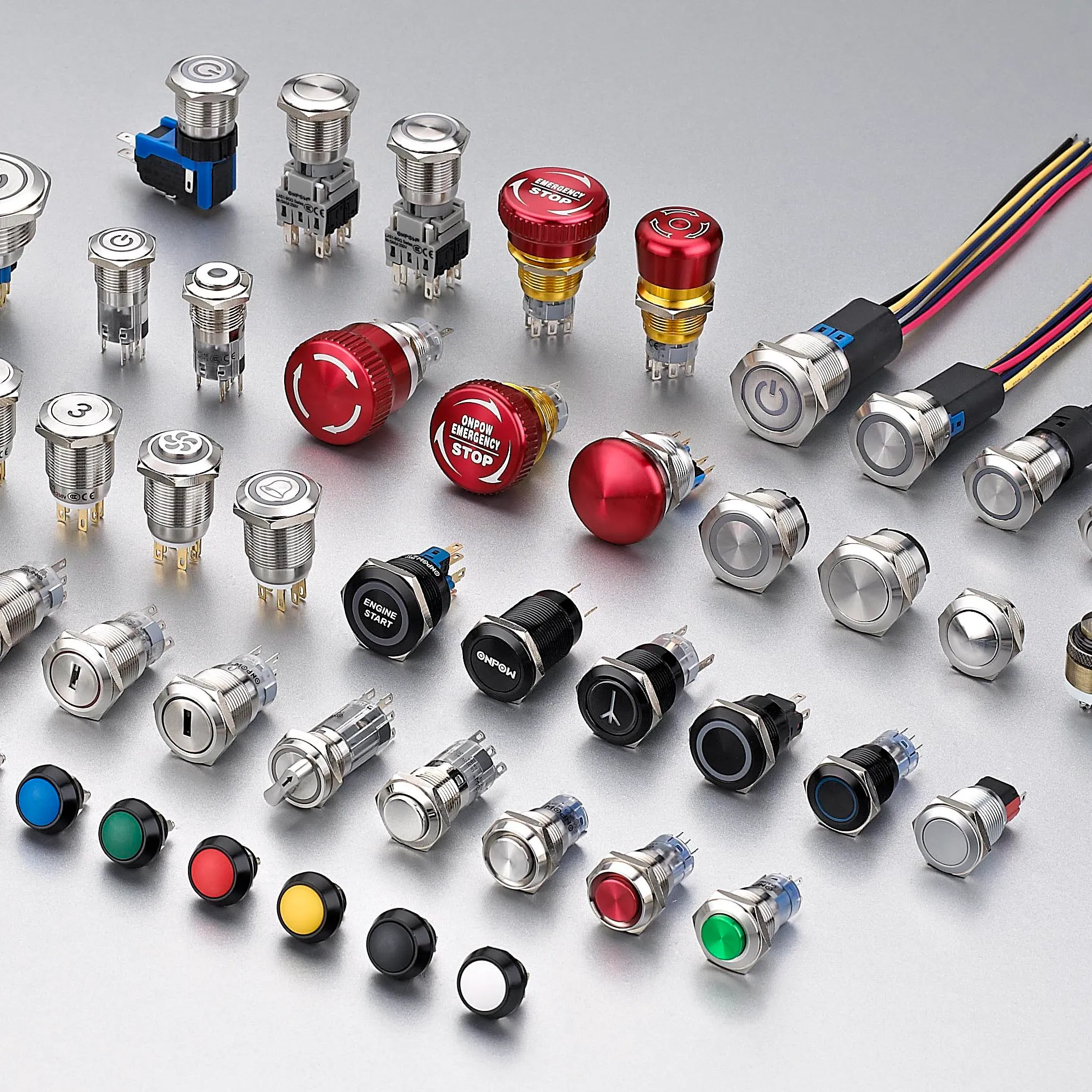
Рассмотрение заявки
Используйте следующие сценарии в качестве подсказок для инженерной экспертизы. Сами по себе они не определяют пригодность:
- Используйте плоский сенсорный интерфейс, когда приоритетом являются частое протирание и низкое физическое усилие. Во время пусконаладки подтвердите команду, ожидаемую реакцию, аномальную реакцию и поведение при сбросе в собранной машине.
- Используйте механическую кнопку, когда требуется сильное тактильное подтверждение и широкая совместимость с перчатками. Во время пусконаладки подтвердите команду, ожидаемую реакцию, аномальную реакцию и поведение при сбросе в собранной машине.
- Совместите сенсорную команду с визуальным подтверждением, чтобы обнаружение было ясным до реакции машины. Во время пусконаладки подтвердите команду, ожидаемую реакцию, аномальную реакцию и поведение при сбросе в собранной машине.
- Отделите рутинные сенсорные управления от специализированных элементов безопасности, соответствующих применимым требованиям проектирования. Во время пусконаладки подтвердите команду, ожидаемую реакцию, аномальную реакцию и поведение при сбросе в собранной машине.
- Протестируйте оба варианта с реальными операторами, когда важна доступность, загрязнение или повторное использование. Во время пусконаладки подтвердите команду, ожидаемую реакцию, аномальную реакцию и поведение при сбросе в собранной машине.
Для каждого случая следует предусмотреть предельные значения допусков, пуск, выключение, потерю питания, восстановление питания, режим технического обслуживания, предсказуемое неправильное использование и замену компонентов. Если команда затрагивает безопасность персонала, защитная функция должна быть разработана и проверена независимо от обычного технологического управления.
Ввод в эксплуатацию и проверка
- Зафиксировать требование. Опишите предполагаемое состояние, действия оператора, нагрузку, питание, окружающую среду и время отклика простым языком.
- Проверьте точную модель. Сопоставьте код заказа с его текущим чертежом, таблицей номиналов, схемой выводов и инструкциями.
- Осмотрите установку. Подтвердите вырез, крепеж, выравнивание, ввод кабеля, задний зазор, снятие натяжения и защиту токоведущих частей.
- Тест нормального функционирования. Используйте устройство во всем ожидаемом диапазоне движения, для всех пользователей, при различных нагрузках и условиях окружающей среды.
- Проверка нештатных условий. Включите оборванный провод, заклинивший механизм, прекращение подачи питания, загрязнение и другие неисправности, выявленные в ходе оценки рисков.
- Записать результаты. Сохраните модель, версию, метод испытания, дату, критерии приемки, измеренные наблюдения и утверждающего лица.
- Запланируйте периодические проверки. Основывайте интервалы осмотра и замены на режиме работы, условиях окружающей среды, степени критичности и наблюдаемом износе, а не на вымышленном универсальном графике.
Типичные ошибки при отборе
- Предполагается, что каждый сенсорный выключатель является емкостным и ведет себя одинаково. Предотвратите это, назначив ответственного, зарегистрировав применимый чертеж или техническое описание и проверив фактическую установку вместо того, чтобы полагаться на название продукта или изображение из каталога.
- Тестирование с голыми сухими пальцами, когда операторы надевают перчатки или работают с влажностью. Предотвратите это, назначив ответственного, зарегистрировав применимый чертеж или техническое описание и проверив фактическую установку вместо того, чтобы полагаться на название продукта или изображение из каталога.
- Обработка светящегося кольца как доказательства того, что машина приняла команду. Предотвратите это, назначив ответственного, зарегистрировав применимый чертеж или техническое описание и проверив фактическую установку вместо того, чтобы полагаться на название продукта или изображение из каталога.
- Игнорирование совместимости электронного выхода с питанием и входа PLC. Предотвратите это, назначив ответственного, зарегистрировав применимый чертеж или техническое описание и проверив фактическую установку вместо того, чтобы полагаться на название продукта или изображение из каталога.
- Выбор механической кнопки по диаметру панели без проверки задней глубины и контактных блоков. Предотвратите это, назначив ответственного, зарегистрировав применимый чертеж или техническое описание и проверив фактическую установку вместо того, чтобы полагаться на название продукта или изображение из каталога.
- Использование общего сенсорного управления в качестве аварийной остановки или сброса защиты без проверки. Предотвратите это, назначив ответственного, зарегистрировав применимый чертеж или техническое описание и проверив фактическую установку вместо того, чтобы полагаться на название продукта или изображение из каталога.
Что включить в запрос поставщику
Полезный запрос должен содержать информацию о применении, целевом рынке, применимых стандартах, параметрах питания и нагрузки, интерфейсе управления, чертеже механической части, размерах панели или монтажных размерах, способе подключения кабелей, условиях окружающей среды, предполагаемой частоте работы, количестве и необходимой документации. Добавьте фотографии или эскиз движения, если способ установки приводного механизма или принцип работы оператором трудно описать словами. Попросите поставщика указать сделанные допущения и исключения. Для новой или измененной конструкции получите образцы и проведите полную валидацию перед размещением серийного заказа.
ONPOW предоставляет Продукты сенсорных выключателей ONPOW в своем более широком ассортимент продукции для промышленного управления. Используйте страницы продуктов для определения возможных семейств, а затем уточните конкретную модель в соответствии с актуальной технической информацией и условиями вашего проекта.
Связанное чтение ONPOW
- Индикаторная лампа или кнопка с подсветкой
- Различия между кнопочным переключателем и переключателем с фиксируемыми положениями
Авторитетные источники
- Введение в емкостные сенсорные технологии Microchip
- Электрооборудование машин МЭК 60204-1
- Требования OSHA к ограждению оборудования
Обучающее видео
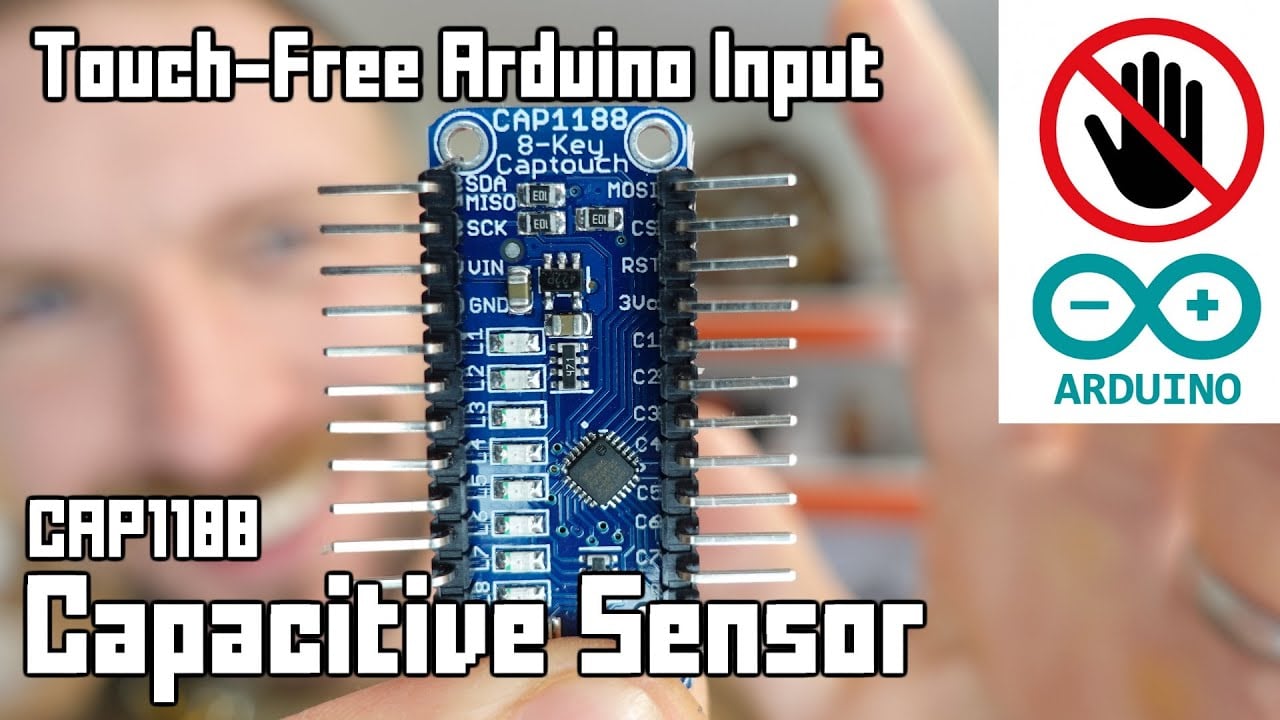
Дополнительное обучение: Руководство по сенсорным бесконтактным датчикам Arduino от Playful Technology. Видео объясняет основную концепцию; проект должен по-прежнему учитывать свою собственную оценку рисков и документацию производителя.
Часто задаваемые вопросы
Имеет ли сенсорный выключатель движущиеся части?
Это зависит от технологии. Емкостное и оптическое обнаружение могут работать без передвижения поверхности, в то время как пьезоэлектрические конструкции изгибаются под действием силы. Проверьте фактическую конструкцию.
Will a capacitive touch switch work with gloves?
Возможно, но материал перчаток, толщина, влажность, наложение, заземление, чувствительность и электроника — все имеет значение. Проверьте конфигурацию производства.
Какой из них легче чистить?
Поверхность с сенсорным управлением может снизить зазоры, но материал корпуса, герметизация краев, химические вещества, температура и полная установка панели все равно определяют степень чистоты.
Which lasts longer?
Срок службы зависит от технологий, частоты эксплуатации, нагрузки, окружающей среды, воздействия, электроники и обслуживания. Сравнивайте заявленные условия испытаний, а не общие утверждения.
Может ли сенсорный выключатель заменить аварийную остановку?
Обычный сенсорный выключатель не следует считать подходящим. Функции аварийной остановки требуют специально разработанных устройств, определенного поведения и проверенной системы безопасности.
Правило окончательного отбора
Выбирайте компонент только тогда, когда все его документированные механические, электрические, экологические границы, а также границы удобства использования и обслуживания соответствуют собранной системе. Если хотя бы одна граница остается неизвестной, рассматривайте это как открытый инженерный вопрос. Краткая задержка на валидацию обходится дешевле, чем проектирование с учетом допущения, которое обнаруживается только после установки.



